
PlatformEngineering

Your Ingress resource is living on borrowed time

There is a special kind of grief reserved for infrastructure that works fine. Nobody writes eulogies for the broken stuff; that gets deleted with enthusiasm. The painful goodbyes are for the things that still do their job every day, quietly, while the rest of the industry has already decided they belong in a museum. Your Ingress resources are in that category now. They route traffic, they terminate TLS, and they have not paged you in months. And they are, officially and by design, a dead end.

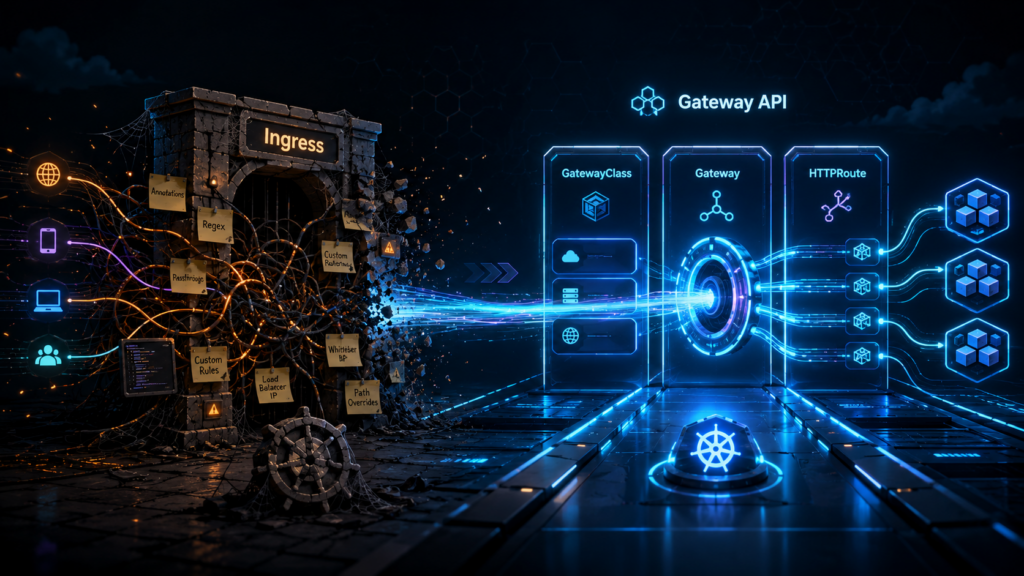
The Kubernetes project has been remarkably polite about this. Ingress is “frozen”, which is the standards body equivalent of moving someone to a nice farm upstate. No new features, no spec evolution, no fixes for the design decisions everyone now regrets. The replacement is called Gateway API, it reached general availability back in 2023, and it is one of those rare cases where the new thing is not just the old thing with more YAML. It actually fixes the organizational problem that made Ingress miserable, which, as we will see, was never really a technical problem at all.

The Ingress spec was always a rough draft

Here is the part of the story that usually gets left out. When Ingress shipped in 2015, the Kubernetes maintainers did not believe they had solved HTTP routing. They believed, correctly, that they had no idea what HTTP routing should look like, and they shipped a minimal spec on purpose. Host, path, backend service. That was essentially it. Everything else, the maintainers figured, could be handled by annotations until the community figured out what it actually wanted.

The community figured out what it wanted, all right. It wanted everything, and it wanted it via annotations.

If you have ever operated an nginx ingress controller in production, you know the genre. nginx.ingress.kubernetes.io/rewrite-target. nginx.ingress.kubernetes.io/canary-weight. nginx.ingress.kubernetes.io/configuration-snippet, which is the annotation equivalent of a hole in the wall that you push raw nginx config through and hope for the best. Traefik grew its own dialect. HAProxy grew another. At some point, the nginx controller alone supported well over a hundred proprietary annotations, each one a small confession that the spec underneath could not do the job.

The practical consequence is one that every platform engineer has lived. Your routing configuration is portable in theory and welded to your controller in practice. Migrating from nginx to anything else means translating a folklore of annotations by hand, and some of them have no translation, because they were never features of Kubernetes. They were features of one specific reverse proxy, smuggled in through a string field.

None of this makes Ingress bad design. It makes Ingress an honest admission, in 2015, that nobody agreed on what routing should look like. Gateway API is what happened after roughly eight years of arguing, when they finally agreed.

Three resources instead of one, and that is the whole upgrade

Gateway API replaces the single Ingress object with three, and before your YAML fatigue kicks in, stay with me, because the count is not the point. The ownership is.

GatewayClass is the template. It declares what kind of gateway infrastructure your cluster offers (Envoy, Cilium, or a cloud load balancer), and it gets written approximately once, by whoever runs the platform, and then mostly forgotten.

Gateway is a running instance of that template. It is the actual listener, the thing with an IP address and open ports, and it lives in an infrastructure namespace where application developers cannot poke it.

HTTPRoute is the routing rule. It says “traffic for this hostname and this path goes to this service”, and it lives in the application’s own namespace, right next to the Deployment it serves, owned by the team that owns the app.

That is the entire model. Three objects, three different owners, three different namespaces if you want them. Every interesting thing about Gateway API follows from that separation, which brings us to the actual argument.

The hallway belongs to the platform team, and the door belongs to the app team

Think about what an Ingress object actually is, organizationally. It is one resource that contains both infrastructure concerns (TLS certificates, load balancer behavior, controller tuning) and application concerns (which path goes to which service). One object, two very different audiences, and Kubernetes RBAC can only draw permission lines around whole objects.

So every organization running Ingress at scale ends up choosing between two bad options. Option one, the platform team owns all Ingress resources, and application teams file tickets to change a path rule, which is a magnificent way to turn a thirty-second change into a three-day wait. Option two, application teams own their Ingress resources, which means application teams can now set controller-level annotations, and somewhere in your cluster, there is a configuration snippet written by an intern in 2022 that nobody dares to remove. Both options are workarounds for the same flaw. The spec crammed two jobs into one object, and org charts do not bend that way.

Gateway API splits the object along exactly the line where your teams already split. The platform engineer provisions the Gateway in the infra namespace. They decide which ports are open, which TLS policy applies, and, crucially, which namespaces are allowed to attach routes to it. The application developer writes an HTTPRoute in their own namespace that says, in effect, “attach me to the gateway named external-web”. The route references the gateway by name; the gateway grants permission by policy. Cross-namespace routing is not a hack here, it is the core mechanic of the spec, with an explicit handshake on both sides.

If you read my past RBAC article, this will feel familiar, because it is the same principle wearing a different hat. Least privilege stopped being just about who can “kubectl delete” things and started applying to the network path itself. App teams get exactly the surface they need (their routes, their namespace) and nothing else. The platform team stops being a ticket-processing bottleneck and goes back to doing platform work. Nobody negotiates over annotations in a Slack thread at 6 p.m. on a Friday, which I am told does wonders for retention.

There is also a quieter benefit that only shows up in the postmortem. When routing rules live next to the application, the blast radius of a bad change is the application. When everything lives in one shared Ingress layer, a typo in one team’s path rule can take an unrelated team’s traffic with it. Separation of concerns is usually sold as elegance. In production, it is mostly sold as smaller incidents.

What Ingress made you beg your controller to do

Now for the features, briefly, because the features are genuinely less interesting than the reframe behind them.

Take canary deployments. With Ingress on nginx, weight-based traffic splitting means creating a second Ingress object, blessing it with ‘canary: “true”’ and ‘canary-weight: “10”’ annotations, and trusting that the controller interprets your strings correctly. With Gateway API, an HTTPRoute simply lists two backends with weights, 90 and 10, as ordinary structured fields. The API server validates them. Your canary rollout is now plain YAML instead of an incantation, and you did not have to install a service mesh to get it.

Header-based routing gets the same treatment. Routing requests with ‘x-beta-user: true’ to a different backend is a match condition in the spec, not a regex pasted into a controller-specific snippet. URL rewriting is a filter. Request mirroring, the trick where you copy live traffic to a new version without affecting real responses, is a filter too. Timeouts, header manipulation, traffic redirection, all first-class citizens with schemas.

Here is the reframe. None of these capabilities are new. Your reverse proxy could do all of this in 2016; reverse proxies are old and wise. What was missing was a portable way to ask for it. Under Ingress, every feature beyond host-and-path routing required learning the proprietary annotation dialect of whichever controller you happened to inherit, and your hard-won fluency in nginx annotations was worth exactly nothing the day someone migrated to Traefik. Gateway API moves those features into the spec itself, where they are typed, validated, and identical across implementations. The knowledge finally transfers. So do the manifests.

GatewayClass is the new vendor coupling point, and that is a better deal

Time for the honest section, because every article praising a new standard owes you one.

Gateway API does not eliminate vendor lock-in, and anyone telling you otherwise is selling a controller. The GatewayClass is where you commit. You pick Cilium, or Envoy Gateway, or Istio, or nginx-gateway-fabric, and from that moment your gateways run on that implementation’s machinery, with that implementation’s performance profile and that implementation’s extension features. Conformance across implementations is real but not absolute; the spec has core features everyone must support and extended ones they may.

What changed is the geometry of the coupling. With Ingress, the vendor dependency was smeared across your entire estate, hiding inside opaque annotation strings on every single routing object. You could not see it, measure it, or contain it; you discovered its true size on migration day, which is the worst possible day to discover anything. With Gateway API, the coupling is compressed into one object type. Everything above the GatewayClass (your routes, your matches, your filters, your weights) is portable standard YAML. Everything below it is the vendor’s problem. Swapping implementations becomes “change the GatewayClass and re-test”, not “translate three hundred annotations from one dialect to another and pray”.

The ecosystem, for the record, is not a science fair. Cilium ships a Gateway implementation on eBPF. Envoy Gateway is the CNCF’s straightforward Envoy packaging. Istio treats Gateway API as its preferred configuration surface these days. nginx-gateway-fabric exists for the sizable demographic that would like to keep nginx but lose the annotations. All of these run in production at companies whose outages would make the news.

You do not need to migrate everything to start

The best property of Gateway API for anyone with an existing cluster is that it demands nothing of your existing cluster. Gateway API and Ingress run side by side indefinitely. The controllers do not fight, the resources do not overlap, and your hundred working Ingress objects can keep working while you experiment two namespaces away.

The sensible entry point is not a migration project (migration projects are where enthusiasm goes to file status reports). It is one new service, or one feature branch, routed through an HTTPRoute while everything else stays put. You get a feel for the model, your platform team writes its first Gateway, and the canary feature gets a real audition on something low-stakes.

Whether your cluster is already prepared takes one command to find out.

kubectl get crds | grep gateway.networking.k8s.io

If that returns a list of CRDs, the welcome mat is already out; managed offerings like GKE ship them preinstalled. If it returns nothing, the installation is a single manifest from the Gateway API releases page, and then the welcome mat is out.

Ingress will keep working for years. Frozen APIs in Kubernetes enjoy long, comfortable retirements, and nobody is coming to delete your manifests. But every new routing feature, every new controller capability, and increasingly every new piece of documentation is being written for the other API now. Borrowed time is still time. It is just no longer the kind you should be building on.

RBAC is not least privilege, and your cluster is the proof

Your security scanner ran last night. It came back green. RBAC is configured, there are no critical findings, and you closed the tab with the quiet satisfaction of someone who has done the responsible thing. The cluster is locked down. You can go to lunch.

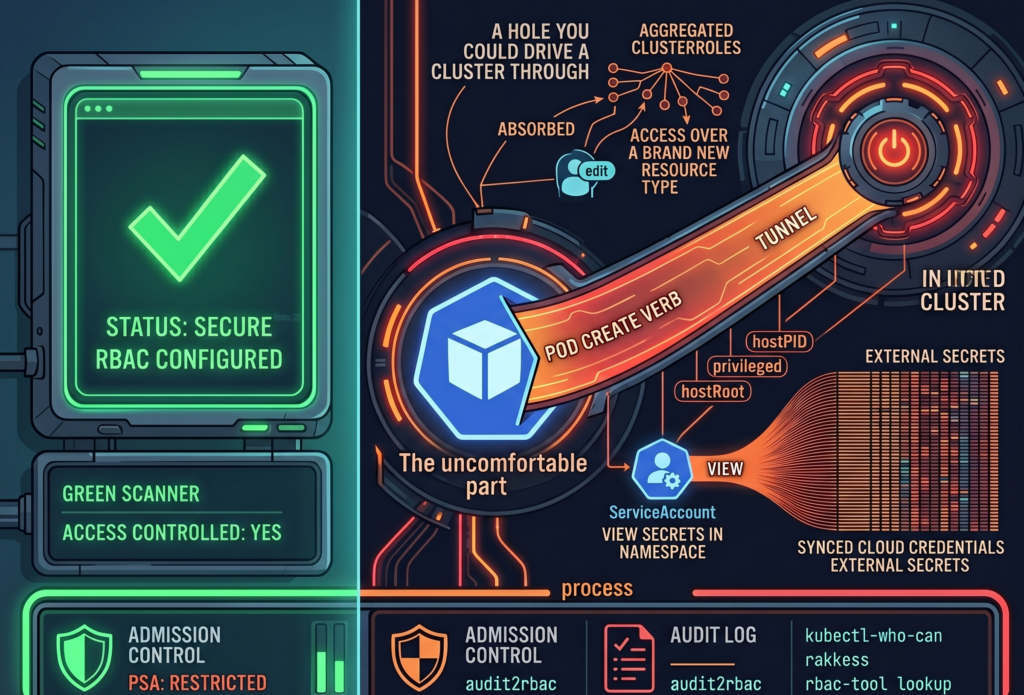
Here is the uncomfortable part. A green scanner answers the question “Is access controlled?” It does not answer the question “Is access minimal?” Those are different questions, and most teams conflate them because the first one is easy to check and the second one requires reading things nobody wants to read on a Tuesday.

RBAC answers the first. Least privilege requires answering both. And a perfectly valid RBAC configuration can be, at the very same time, a perfectly generous one. The scanner has no opinion about generosity.

The ClusterRole you inherited from a Helm chart in March

Kubernetes ships three aggregated ClusterRoles out of the box (admin, edit, view), and they have a quietly alarming property. They absorb permissions. Any ClusterRole carrying the label ‘rbac.authorization.k8s.io/aggregate-to-edit: “true”’ gets automatically folded into ‘edit’, with no human in the loop and no diff to review.

This is convenient right up until it is not. When you installed that operator back in March, its Helm chart shipped a CRD and a ClusterRole with the aggregation label attached, because that is the polite, idiomatic way to do it. From the moment ‘helm install’ finished, every subject bound to ‘edit’ in your cluster silently gained permissions over a brand new resource type. Nobody approved it. Nobody saw it. The controller did exactly what it was designed to do, which is the part that should worry you.

So the RoleBinding still says ‘edit’. The word has not changed. What it grants has, several times, across several chart upgrades, and the only record of the expansion is scattered across ClusterRole objects nobody has opened since they were applied.

The takeaway is small and annoying: every time you install a chart, check what it aggregated. ‘kubectl get clusterrole -l rbac.authorization.k8s.io/aggregate-to-edit=true’ is two minutes of your life and occasionally a genuine surprise.

That ServiceAccount reads secrets, all of them, probably

Consider a ServiceAccount with ‘get’ on secrets in a single namespace. On paper, this looks narrow and tidy. The reviewer who approved it was right to approve it. The problem is that RBAC grants do not live in isolation; they live next to whatever else is running in that namespace.

If that namespace also hosts External Secrets Operator, a Vault Agent sidecar, or a CSI secrets driver, the secrets sitting there are not application trivia. They are the synced, materialized credentials that those tools pulled from somewhere more important. A grant that reads “can view secrets in ‘team-a’” can, depending on the architecture around it, mean “can read the cloud provider credentials that External Secrets faithfully copied into ‘team-a’ thirty seconds ago.”

Nothing here is broken. Every component is behaving as documented. That is exactly why it slips past review: each piece is reasonable, and the risk only exists in the seam between them, where no single Role definition is looking.

So when you audit a secrets grant, do not read the Role. Read the room. Ask what else lives in that namespace and what those neighbors keep in their pockets.

Creating a Pod sometimes creates a root shell on the node

This is the one people refuse to believe until you show them.

If Pod Security Admission is not enforced in ‘restricted’ mode, a subject with ‘create’ on pods is, functionally, a subject with a path to the node. They can define a pod that mounts the host root filesystem as a volume, sets ‘hostPID: true’, runs ‘privileged: true’, or maps a host port to quietly intercept traffic. From inside that pod, the node is no longer a node; it is a directory.

None of this is a vulnerability. There is no CVE to patch, because Kubernetes is doing precisely what the spec permits. The escalation lives in the gap between two true statements: “we have RBAC” and “nobody can reach the node.” Both can be accurate. Together, they can still be a hole you could drive a cluster through.

The fix is not more RBAC. It is admission control. Enforce PSA ‘restricted’ as the namespace default, and treat every exception as a decision someone wrote down and owns, rather than a default nobody chose.

Three commands that will ruin your afternoon

Theory is comfortable. Here is the part where you actually look.

‘kubectl-who-can’ answers the blunt question: who can perform this verb on this resource, right now. ‘kubectl who-can create pods -n production’ is a fast way to find out that the list is longer than you remembered.

‘rakkess’ produces a full access matrix for a given subject, so you can stare at an entire grid of green checkmarks belonging to a ServiceAccount that, in principle, only needed to read a config map.

‘rbac-tool lookup’ lists everything a specific subject can do across the whole cluster, which is the tool you run when you have a name and a bad feeling.

I will set an honest expectation. The first time you run any of these against a cluster older than a year, you will find at least one thing nobody intended, and there is a decent chance it will be something you granted. This is not a moral failing. It is entropy. Permissions accrete the same way junk drawers do, one reasonable decision at a time.

The scanner will still be green, that is no longer the point

Here is where I am supposed to hand you a fix that makes the scary parts go away. I cannot, because least privilege in Kubernetes is not a configuration state you reach and then defend. It is a process you keep doing, slightly grudgingly, forever.

Start subjects at zero and grant only what the audit log proves they actually use. Tools like ‘audit2rbac’ can generate tight RBAC from real API server audit events, which is to say from evidence rather than from optimism. Enforce PSA ‘restricted’ by default. Audit aggregated ClusterRoles every time you install a chart. Rotate ServiceAccount tokens, because a credential that never expires is just a future incident with good patience.

Do all of that, and run the scanner again. It will still be green. It was always going to be green. The result has not changed at all. The only thing that has changed is the question you now know to ask, and that, inconveniently, was the whole job.

There is no universal answer here, only better-informed trade-offs, and the faint suspicion that your next audit will find something too. It usually does.

Your CI/CD pipeline just became an accomplice to a robbery

There is a special kind of morning reserved for DevOps teams. The coffee is still too hot, Slack is already too loud, and somewhere in the dependency tree, a package you have never consciously chosen has decided to become a tiny criminal enterprise.

Not a glamorous one. Not the cinematic kind with laser grids, violin music, and a morally complicated mastermind in a black turtleneck. This one wore the traditional uniform of modern software crime, a ‘package.json’ file, a lifecycle hook, and the quiet confidence of something that knows your CI/CD pipeline will execute almost anything if it arrives through the correct registry.

The Mini Shai-Hulud attack against the AntV npm ecosystem was not frightening because it was exotic. It was frightening because it was ordinary. A compromised maintainer account. A burst of malicious package versions. A ‘preinstall’ hook. A build server with secrets lying around like biscuits in a meeting room.

That is the part worth sitting with for a moment. Your pipeline did not fail because it was stupid. It failed because it behaved exactly as designed.

The morning npm trusted a stranger

On May 19, a maintainer account named ‘atool’, associated with the AntV visualization ecosystem and several widely used utility packages, was compromised. In a short automated burst, malicious versions were published across more than 300 npm packages. Some reports counted 314 packages tied to the compromised maintainer. Others counted a slightly broader set, depending on the package universe being measured. Either way, this was not a polite disturbance. It was an npm fire drill with the alarm wired directly into your build system.

The affected ecosystem included packages such as ‘size-sensor’, ‘echarts-for-react’, ‘timeago.js’, and many ‘@antv’ packages. Collectively, the package set represented roughly sixteen million weekly downloads. That number has the calm, bureaucratic feel of a spreadsheet cell, which is unfortunate, because the spreadsheet cell is quietly screaming.

The payload was not a kernel exploit. It was not a secret zero-day whispered into existence by a nation-state intern with excellent dental insurance. It was a preinstall hook that executed an obfuscated Bun script before the application had even reached the part of the day where tests pretend they are in charge.

That is the insult. The thief did not pick the lock. The thief rang the bell, wore a delivery jacket, and your pipeline said, “Of course, please come in. The cloud credentials are near the snacks.”

Why did your pipeline not see it coming?

Most CI/CD pipelines are optimized for speed, repeatability, and the pleasant fiction that dependencies are small sealed boxes of usefulness. A typical workflow clones the repository, restores a cache, runs ‘npm ci’, then moves on to tests, linters, SAST tools, dependency scanners, container builds, and finally deployment.

That order feels reasonable. It is also the problem.

The malicious ‘preinstall’ hook runs during dependency installation. It runs before your tests. Before your linter. Before the container image scanner gets to put on its tiny detective hat. Before most of the tools you bought, integrated, configured, and proudly presented in a security maturity slide deck have even entered the room.

By the time your scanner examines the artifact, the install phase may already have executed hostile code inside your build environment. The patient is now wearing the doctor’s coat.

This is the architectural blind spot. We often talk about CI/CD as plumbing, as if pipelines merely transport code from Git to production with the emotional depth of a garden hose. In practice, the build environment is one of the most privileged pieces of compute in the company.

It can read source code. It can fetch dependencies. It can publish artifacts. It can assume cloud roles. It can push containers. It can sign releases. It may have access to deployment tokens, package registry tokens, GitHub tokens, npm tokens, cloud credentials, vault credentials, and enough environment variables to make a compliance auditor age visibly.

Then, in the middle of that privileged environment, we run arbitrary community code as a normal business process.

We do this every day. We call it productivity because “ritualized trust falls with strangers” was apparently less attractive in Jira.

When your EC2 instance becomes a credential vending machine

The build server is only one part of the blast radius. Many organizations still run Node.js applications directly on EC2 instances, virtual machines, shared development servers, bastion hosts, or old pets with sentimental names and systemd units no one wants to touch.

If a malicious dependency runs during an install on one of those machines, the question becomes brutally simple. What can that machine see?

Mini Shai-Hulud style payloads are designed to ask exactly that. They look for AWS credentials in environment variables and local credential files. They probe cloud metadata services. They search for Kubernetes service account tokens mounted in predictable paths. They hunt for GitHub personal access tokens, npm tokens, HashiCorp Vault tokens, SSH keys, database connection strings, and local password manager material.

This is where the story stops being a malware story and becomes an architecture story.

The problem is not merely that the script is clever. The problem is that many machines are already arranged like vending machines for secrets. Insert malicious lifecycle hook. Receive access keys. Enjoy your snack.

If your EC2 user data script runs ‘npm install’ during bootstrap, you have given install-time code a front-row seat to the instance identity. If developers SSH into a shared VM and run package installs manually, you have blended local development, shared infrastructure, and cloud access into a smoothie with bits of glass in it. If a bastion host has credentials on disk because “it was only temporary”, congratulations, you have discovered the half-life of temporary infrastructure. It is forever, unless audited.

The uncomfortable lesson is not that EC2 is unsafe. EC2 is a perfectly respectable building block. The trouble begins when long-lived compute accumulates credentials the way kitchen drawers accumulate mysterious cables. After enough time, nobody knows what they are for, but everyone is afraid to throw them away.

The SaaS services you thought were sandboxed

Managed build platforms are not magically exempt from this pattern. Vercel, Netlify, Railway, Render, AWS Amplify, Google Cloud Build, and similar services often run dependency installation on your behalf. They do it in ephemeral containers, which sounds reassuring, because ephemeral is one of those cloud words that makes everything feel rinsed and hygienic.

But ephemeral does not mean harmless.

Those containers may still receive environment variables. They may still hold deployment credentials. They may still have API keys, database URLs, webhook secrets, third-party tokens, and production-adjacent configuration. A malicious ‘preinstall’ hook does not need a permanent server. It only needs a few seconds with the things you carefully injected into the build because the deployment would not work without them.

This is where the boundary between build time and runtime starts to look theatrical. We like to pretend they are separate kingdoms with guards and flags and polite customs inspections. In reality, build time often has enough access to affect runtime, and runtime secrets often leak backward into build time because somebody needed a preview deployment to talk to a real database “just for testing”.

The SaaS provider may provide isolation. It may provide clean containers. It may even provide excellent defaults. But your build environment is still your environment. You configured the secrets. You selected the dependencies. You allowed the install scripts. The sandbox is not a moral force. It is a container with permissions.

And containers, bless them, do not experience shame.

When the green badge smiles at the robber

The most unsettling part of Mini Shai-Hulud was not just credential theft. It was the way the attack interacted with modern supply chain trust.

Some malicious packages were observed with valid Sigstore and SLSA provenance signals. In plain English, the pipeline identity could be used to produce cryptographic evidence that looked legitimate. The signature was real. The attestation was real. The code was malicious.

This is a deeply unpleasant sentence for anyone who has spent the last few years building policies around signed artifacts, provenance, and supply chain gates.

Those controls still matter. They are not useless. But this attack is a reminder that provenance is not a spell. It tells you something about how an artifact was built, and sometimes where it was built. It does not automatically tell you that the person, process, maintainer account, or CI identity involved was trustworthy at that moment.

A green badge can prove that the robbery happened in a certified room with excellent lighting.

For cloud architects, that distinction matters. If your policy says “only deploy signed artifacts”, you have improved the baseline. If your mental model says “signed means safe”, the attacker has just found a very comfortable chair in your control plane.

The right question is not only whether an artifact is signed. It is whether the identity that signed it should have been allowed to sign it, whether the workflow that produced it was protected, whether the release path was expected, whether the maintainer account had strong controls, and whether the dependency version appeared with the behavior of a normal release or with the body language of a raccoon in a data center.

Signatures are evidence. They are not character witnesses.

What to change before the next deployment

There is no single magic fix, which is irritating, because single magic fixes are much easier to put on a roadmap. What you can do is reduce the number of places where arbitrary install-time code meets valuable credentials.

Start with the obvious rule that is somehow still controversial. Do not run npm install in production on long-lived machines. Build once in a controlled environment. Bake dependencies into immutable images or artifacts. Promote those artifacts across environments. Production should receive the finished meal, not a bag of groceries and a stranger with a knife.

Use lockfiles with discipline. Treat changes to ‘package-lock.json’, ‘pnpm-lock.yaml’, or ‘yarn.lock’ as meaningful code changes. Review them. Pin dependencies where it matters. Avoid allowing automatic minor or patch upgrades in privileged CI jobs without human review or a quarantine window. Freshly published packages are not necessarily fresh bread. Sometimes they are bread with a tiny radio transmitter inside.

Disable install scripts where you can. For many CI validation jobs, ‘npm ci –ignore-scripts’ is a reasonable default. When lifecycle scripts are genuinely required, make that an explicit exception rather than a silent assumption. Exceptions should feel slightly annoying. That is how you know they are doing their job.

Separate build secrets from runtime secrets. A build job should not need direct access to production databases. It should not carry cloud admin credentials. It should not have permission to do everything because it is easier than discovering the three actions it actually needs. Use short-lived credentials through OIDC where possible, scoped narrowly to the job, the repository, the branch, and the environment.

Treat the build environment as hostile until proven otherwise. Run builds in ephemeral, isolated environments. Avoid reusing caches between trusted and untrusted contexts. Restrict egress where practical. Monitor unusual outbound traffic from CI runners, especially to metadata endpoints, GitHub APIs, unknown domains, and places where stolen secrets go to begin their new life.

On AWS, enforce IMDSv2 and restrict access to instance metadata. Do not let random processes on a host treat the metadata service like a neighborhood tapas bar. On Kubernetes, avoid mounting default service account tokens into pods that do not need them. If a pod has no business speaking to the Kubernetes API, do not give it a tiny passport and a laminated badge.

Finally, treat developer workstations as part of the production risk surface. This is annoying because developers are humans, and humans enjoy installing things. But if a developer runs npm install on a laptop that has AWS SSO sessions, GitHub tokens, package registry credentials, SSH keys, and password manager integrations, that laptop is not merely a laptop. It is a small branch office with stickers.

The uncomfortable truth about convenience

The cloud industry has spent more than a decade optimizing for developer velocity. We made dependency installation fast. We made CI/CD pipelines automatic. We made SaaS build platforms beautifully simple. We taught ourselves to trust registries because the alternative was slow, manual, and socially unpopular.

Mini Shai-Hulud is not the end of that model. It is the invoice.

The convenience of ‘npm install’ is not free. It is a line of credit against your security posture, and the interest rate just went up.

This does not mean we should retreat into caves and compile everything by candlelight, although some incident response teams have looked into it. It means we need to stop treating dependency installation as a harmless clerical step. It is code execution. It happens early. It happens often. It happens in places where secrets live.

That is the part that should make every DevOps engineer, platform engineer, and cloud architect feel a small chill behind the neck. Not panic. Panic is noisy and usually produces dashboards. A chill is more useful. A chill asks better questions.

Why does this build job have access to production credentials?

Why can this runner reach the metadata service?

Why are install scripts enabled by default?

Why are we deploying from a machine where somebody also tests packages manually?

Why did the green badge make us stop thinking?

Modern DevOps was already a strange job. You were part sysadmin, part release engineer, part therapist for YAML, part barista for impatient microservices. Now, occasionally, you must also check whether your pipeline has become an accomplice to a robbery.

It will not look guilty. Pipelines never do. They fail with clean logs, pass with suspicious confidence, and continue brewing coffee while a stranger quietly empties the safe.

They left AWS to save money. Coming back cost even more

Not long ago, a partner I work with told me about a company that decided it had finally had enough of AWS.

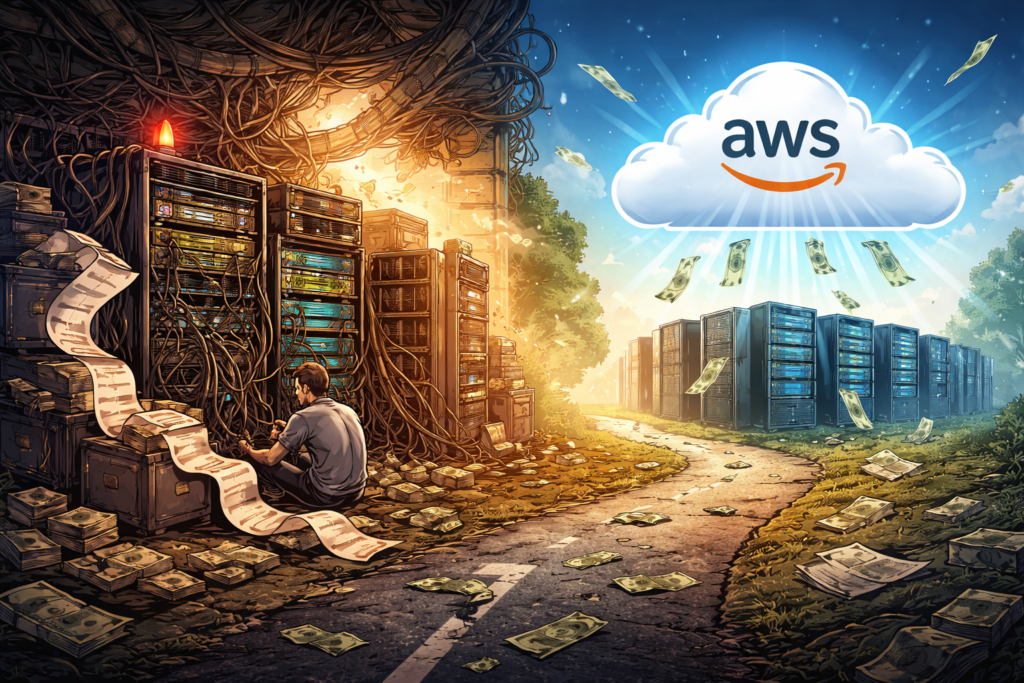
The monthly bill had become the sort of document people opened with the facial expression usually reserved for dental estimates. Consultants were invited in. Spreadsheets were produced. Serious people said serious things about control, efficiency, and the wisdom of getting off the cloud treadmill.

The conclusion sounded almost virtuous. Leave AWS, move the workloads to a colocation facility, buy the hardware, and stop renting what could surely be owned more cheaply.

It was neat. It was rational. It was, for a while, deeply satisfying.

And then reality arrived, carrying invoices.

The company spent a substantial sum getting out of AWS. Servers were bought. Contracts were signed. Staff had to be hired to manage all the things cloud providers manage quietly in the background while everyone else gets on with their jobs. Not long after, the economics began to fray. Reversing course costs even more than leaving in the first place.

That is the part worth paying attention to.

Not because it makes for a dramatic story, though it does. Not because it is especially rare, but because it is not. It matters because it exposes one of the oldest tricks in infrastructure decision-making. Companies compare a visible bill with an invisible burden, decide the bill is the scandal, and only later discover that the burden was doing quite a lot of useful work.

The spreadsheet seduction

On paper, the move away from AWS looked wonderfully sensible.

The cloud bill was obvious, monthly, and impolite enough to keep turning up. On-premises looked calmer. Hardware could be amortized. Rack space, power, and bandwidth could be priced. With a bit of care, the whole thing could be made to resemble prudence.

This is where many repatriation plans become dangerously persuasive. The cloud is cast as an extravagant landlord. On-premises is presented as the mature decision to stop renting and finally buy the house.

Unfortunately, a data center is not a house. It is closer to owning a very large hotel whose plumbing, wiring, keys, security, fire precautions, laundry, and unexpected midnight incidents are all your responsibility, except the guests are servers and none of them leave a tip.

The spreadsheet had done a decent job of pricing the obvious things. Hardware. Colocation space. Power. Connectivity.

What was priced badly were all the dull, expensive capabilities that public cloud tends to bundle into the bill. Managed failover. Backup automation. Key rotation. Elastic capacity. Security controls. Compliance support. Monitoring that does not depend on a specific engineer being awake, available, and emotionally prepared.

What looked like cloud excess turned out to include a great deal of cloud competence.

That distinction matters.

A large cloud bill is easy to resent because it is visible. Operational competence is harder to resent because it tends to be hidden in the walls.

What the cloud had been doing all along

One of the costliest mistakes in infrastructure is confusing convenience with fluff.

A managed database can look expensive right up to the moment you have to build and test failover yourself, define recovery objectives, handle maintenance windows, rotate credentials, validate backups, and explain to auditors why one awkward part of the process still depends on a human remembering to do something after lunch.

A content delivery network may seem like a luxury until you try to reproduce low-latency delivery, edge caching, certificate handling, resilience, and attack mitigation with a mixture of hardware, internal effort, procurement delays, and hope.

The company, in this case, had not really been paying AWS only for compute and storage. It had been paying AWS to absorb a long list of repetitive operational chores, specialized platform decisions, and uncomfortable edge cases.

Once those chores came back in-house, they did not return politely.

Redundancy stopped being a feature and became a budget line, followed by an implementation plan, followed by a maintenance burden. Security controls that had once been inherited now had to be selected, deployed, documented, checked, and defended. Compliance work that had once been partly automated became a steady stream of evidence gathering, procedural discipline, and administrative repetition.

Cloud bills can look high. So can plumbing. You only discover its emotional value when it stops working.

The talent tax

The easiest part of moving on premises is buying equipment.

The harder part is finding enough people who know how to run the surrounding world properly.

Cloud expertise is now common enough that many companies can hire engineers comfortable with infrastructure as code, IAM, managed services, container platforms, observability, autoscaling, and cost controls. Strong cloud engineers are not cheap, but they are at least visible in the market.

Deep on-premises expertise is another matter. People who are strong in storage, backup infrastructure, virtualization, physical networking, hardware lifecycle, and operational recovery still exist, but they are not standing about in large numbers waiting to be discovered. They are experienced, expensive, and often well aware of their market value.

There is also a cultural issue that rarely appears in repatriation slide decks. A great many engineers would rather write Terraform than troubleshoot a hardware issue under unflattering lighting at two in the morning. This is not a moral failure. It is simple market gravity. The industry has spent years abstracting away routine infrastructure pain because abstraction is usually a better use of skilled human attention.

The partner who told me this story was particularly clear on this point. The staffing line looked manageable in planning. In practice, it turned into one of the most stubborn and underestimated parts of the whole effort.

Cloud is not cheap because expertise is cheap. Cloud is often cheaper because rebuilding enough expertise inside one company is very expensive.

Why does utilization lie so beautifully

Projected utilization is one of those numbers that becomes more charming the less time it spends near reality.

Many repatriation models assume that servers will be well used, capacity will be planned sensibly, and waste will be modest. It sounds disciplined. Responsible, even.

Real workloads behave less like equations and more like kitchens during a family gathering. There are quiet periods, sudden rushes, abandoned experiments, quarter-end panics, new projects that arrive with urgency and no warning, and services no one remembers until they break.

Elasticity is not a decorative feature added by cloud providers to justify themselves. It is one of the main ways organizations avoid buying for peak demand and then spending the rest of the year paying for machinery to sit about waiting.

Without elasticity, you provision for the busiest day and fund the silence in between.

Silence, in infrastructure, is expensive.

A half-used on-premises platform still consumes power, occupies space, demands maintenance, requires patching, and waits patiently for a workload spike that visits only now and then. Spare capacity has excellent manners. It makes no fuss. It simply eats money quietly and on schedule.

This was one of the turning points in the story I heard. Forecast utilization turned out to be far more flattering than actual utilization. Once that happened, the economics began to sag under their own good intentions.

The cost of becoming slower

Traditional total-cost comparisons handle direct spending reasonably well. They are much worse at pricing lost momentum.

When a company runs on a large cloud platform, it does not merely rent infrastructure. It also gains access to a constant flow of improvements and options. Better analytics tools. New security integrations. Managed AI services. Identity features. Database capabilities. Deployment patterns. Networking enhancements. Observability tooling.

No single addition changes everything overnight. The effect is cumulative. It is a thousand small conveniences arriving over time and sparing teams from having to rebuild ordinary civilization every quarter.

An on-premises platform can be stable and well run. For the right workloads, that may be perfectly acceptable. But it does not evolve at the pace of a hyperscaler. Upgrades become projects. New capabilities require procurement, testing, staffing, and patience. The platform becomes more careful and, usually, slower.

That slower pace does not always show up neatly in a spreadsheet, but engineers feel it almost immediately.

While competitors are experimenting with new managed services or shipping new capabilities faster, the repatriated organization may be spending its time improving backup procedures, standardizing tools, negotiating maintenance arrangements, or replacing hardware that has chosen an inconvenient moment to become philosophical.

There is nothing glamorous about that. There is also nothing free about it.

Who should actually consider on-premises

None of this means on-premises is foolish.

That would be a lazy conclusion, and lazy conclusions are where expensive architecture plans begin.

For some organizations, on-premises remains entirely reasonable. It makes sense for highly predictable workloads with very little variability. It can make sense in tightly regulated environments where legal, sovereignty, or operational constraints sharply limit the use of public cloud. And at a very large scale, some organizations genuinely can justify building substantial parts of their own platform.

But most companies tempted by repatriation are not in that category.

They are not hyperscalers. They are not all running flat, perfectly predictable workloads. They are not all boxed in by constraints that make public cloud impossible. More often, they are reacting to a painful cloud bill caused by weak cost governance, poor workload fit, loose architecture discipline, or a lack of serious FinOps.

That is a very different problem.

Leaving AWS because you are using AWS badly is a bit like selling your refrigerator because the groceries keep going off while the door is open. The appliance may not be the heart of the matter.

The middle ground companies skip past

One of the stranger features of cloud debates is how quickly they become binary.

Either remain in public cloud forever, or march solemnly back to racks and cages as if returning to a lost ancestral craft.

There is, of course, a middle ground.

Some workloads do benefit from local placement because of latency, residency, plant integration, or operational constraints. But needing hardware closer to the ground does not automatically mean rebuilding the entire service model from scratch. The more useful question is often not whether the hardware should be local, but whether the control plane, automation model, and day-to-day operations should still feel cloud-like.

That is a much more practical conversation.

A company may need some infrastructure nearby while still gaining enormous value from managed identity, familiar APIs, consistent automation, and operational patterns learned in the cloud. This tends to sound less heroic than a full repatriation story, but heroism is not a particularly reliable basis for infrastructure strategy.

The partner who described this case said as much. If they had explored the middle road earlier, they might have kept the local advantages they wanted without assuming quite so much of the surrounding operational burden.

What a real repatriation audit should include

Any company seriously considering a move off AWS should pause long enough to perform an audit that is a little less enchanted by ownership.

Start with the full cloud picture, not just the line items everyone enjoys complaining about. Include engineering effort, compliance automation, security services, platform speed, operational overhead, and the cost of scaling quickly when demand changes.

Then build the on-premises model with uncommon honesty. Price round-the-clock operations. Price redundancy properly. Price backup and recovery as if they matter, because they do. Price refresh cycles, maintenance contracts, spare capacity, patching, testing, physical security, audit evidence, and the awkward certainty that hardware fails when it is least convenient.

Then ask a cultural question, not just a financial one. How many of your engineers actually want to spend more of their time dealing with the physical stack and the operational plumbing that comes with it?

That answer matters more than many executives would like.

A strategy that looks cheaper on paper but nudges your best engineers toward the door is not, in any meaningful sense, cheaper.

Finally, compare repatriation not only against your current cloud bill, but against what a disciplined cloud optimization program could achieve. Rightsizing, storage improvements, better instance strategy, autoscaling discipline, reserved capacity planning, architecture cleanup, and proper FinOps can all change the economics without requiring anyone to rediscover the intimate emotional texture of broken hardware.

The bill behind the bill

What has stayed with me about this story is that it was never really a story about AWS.

It was a story about accounting for the wrong thing.

The visible bill was treated as the entire problem. The hidden work behind the bill was treated as background scenery. Once the company moved off AWS, the scenery walked to the front of the stage and began sending invoices.

That is the trap.

Cloud can absolutely be expensive. Plenty of organizations run it badly and pay for the privilege. But on-premises is not automatically the sober adult in the room. Quite often, it is simply a different payment model, one that hides more of the cost in staffing, slower delivery, operational fragility, maintenance overhead, and all the unlovely little chores that cloud platforms had been taking care of out of sight.

The lesson from this case was not that every workload belongs in AWS forever. It was that infrastructure decisions become dangerous when they are made in reaction to irritation rather than in response to a full economic picture.

Leaving the cloud may still be the right answer for some organizations. For many others, the more useful answer is much less theatrical. Use the cloud better. Govern it better. Design it properly. Understand what you are paying for before deciding you would prefer to rebuild it yourself.

A large monthly cloud bill can be offensive to look at.

The bill that arrives after a bad attempt to escape it is usually less offensive than heartbreaking.

And heartbreak, unlike EC2, rarely comes with autoscaling.

How a Kubernetes Pod comes to life

Run ‘kubectl apply -f pod.yaml’ and Kubernetes has the good manners to make it look simple. You hand over a neat little YAML file, press Enter, and for a brief moment, it feels as if you have politely asked the cluster to start a container.

That is not what happened.

What you actually did was file a request with a distributed bureaucracy. Several components now need to validate your paperwork, record your wishes for posterity, decide where your Pod should live, prepare networking and storage, ask a container runtime to do the heavy lifting, and keep watching the whole arrangement in case it misbehaves. Kubernetes is extremely good at hiding all this. It has the same talent as a hotel lobby. Everything looks calm and polished, while somewhere behind the walls, people are hauling luggage, changing sheets, arguing about room allocation, and trying not to let anything catch fire.

This article follows that process from the moment you submit a manifest to the moment the Pod disappears again. To keep the story tidy, I will use a standalone Pod. In real production environments, Pods are usually created by higher-level controllers such as Deployments, Jobs, or StatefulSets. The Pod is still the thing that ultimately gets scheduled and runs, so it remains the most useful unit to study when you want to understand what Kubernetes is really doing.

The YAML lands on the front desk

Let us start with a very small Pod manifest:

apiVersion: v1
kind: Pod
metadata:
  name: demo-pod
  labels:
    app: demo
spec:
  containers:
    - name: web
      image: nginx:1.27
      ports:
        - containerPort: 80
      resources:
        requests:
          cpu: "100m"
          memory: "128Mi"
        limits:
          cpu: "250m"
          memory: "256Mi"

When you apply this file, the request goes to the Kubernetes API server. That is the front door of the cluster. Nothing important happens without passing through it first.

The API server does more than nod politely and stamp the form. It checks authentication and authorization, validates the object schema, and sends the request through admission control. Admission controllers can modify or reject the request based on policies, quotas, defaults, or security rules. Only when that process is complete does the API server persist the desired state in etcd, the key-value store Kubernetes uses as its source of truth.

At that point, the Pod officially exists as an object in the cluster.

That does not mean it is running.

It means Kubernetes has written down your intentions in a very serious ledger and is now obliged to make reality catch up.

The scheduler looks for a home

Once the Pod exists but has no node assigned, the scheduler takes interest. Its job is not to run the Pod. Its job is to decide where the Pod should run.

This is less mystical than it sounds and more like trying to seat one extra party in a crowded restaurant without blocking the fire exit.

The scheduler first filters out nodes that cannot host the Pod. A node may be ruled out because it lacks CPU or memory, does not match nodeSelector labels, has taints the Pod does not tolerate, violates affinity or anti-affinity rules, or fails other placement constraints.

From the nodes that survive this round of rejection, the scheduler scores the viable candidates and picks one. Different scoring plugins influence the choice, including resource balance and topology preferences. Kubernetes is not asking, “Which node feels lucky today?” It is performing a structured selection process, even if the result arrives so quickly that it looks like instinct.

When the decision is made, the scheduler updates the Pod object with the chosen node.

That is all.

It does not pull images, start containers, mount storage, or wave a wand. It points at a node and says, in effect, “This one. Good luck to everyone involved.

The kubelet picks up the job

Each node runs an agent called the kubelet. The kubelet watches the API server and notices when a Pod has been assigned to its node.

This is where the abstract promise turns into physical work.

The kubelet reads the Pod specification and starts coordinating with the local container runtime, such as ‘containerd’, to make the Pod real. If there are volumes to mount, secrets to project, environment variables to inject, or images to fetch, the kubelet is the one making sure those steps happen in the correct order.

The kubelet is not glamorous. It is the floor manager. It does not write the policies, it does not choose the table, and it does not get invited to keynote conferences. It simply has to make the plan work on an actual machine with actual limits. That makes it one of the most important components in the whole affair.

The sandbox appears before the containers do

Before your application container starts, Kubernetes prepares a Pod sandbox.

This is one of those wonderfully unglamorous details that turns out to matter a great deal. A Pod is not just “a container.” It is a small execution environment that may contain one or more containers sharing networking and, often, storage.

To build that environment, several things need to happen.

First, the container runtime may need to pull the image from a registry if it is not already cached on the node. This step alone can keep a Pod waiting for longer than people expect, especially when the image is huge, the registry is slow, or somebody has built an image as if hard disk space were a personal insult.

Second, networking must be prepared. Kubernetes relies on a CNI plugin to create the Pod’s network namespace and assign an IP address. All containers in the same Pod share that network namespace, which is why they can communicate over ‘localhost’. This is convenient and occasionally dangerous, much like sharing a flat with someone who assumes every shelf in the fridge belongs to them.

Third, volumes are mounted. If the Pod references ‘emptyDir’, ‘configMap’, ‘secret’, or persistent volumes, those mounts have to be prepared before the containers can use them.

There is also a small infrastructure container, commonly called the ‘pause’ container, whose job is to hold the Pod’s shared namespaces in place. It is not famous, but it is essential. The ‘pause’ container is a bit like the quiet relative at a family gathering who does no storytelling, makes no dramatic entrance, and is nevertheless the reason the chairs are still standing.

Only after this setup is complete can the application containers begin.

Watching the lifecycle from the outside

You can observe part of this process with a few simple commands:

kubectl apply -f pod.yaml
kubectl get pod demo-pod -w
kubectl describe pod demo-pod

The watch output often gives the first visible clue that the cluster is busy doing considerably more than the neatness of YAML would suggest.

A Pod typically moves through a small set of phases:

  • Pending’ means the Pod has been accepted but is still waiting for scheduling, image pulls, volume setup, or other preparation.
  • Running’ means the Pod has been bound to a node and at least one container is running or starting.
  • Succeeded’ means all containers completed successfully and will not be restarted.
  • Failed’ means all containers finished, but at least one exited with an error.
  • Unknown’ means the control plane cannot reliably determine the Pod state, usually because communication with the node has gone sideways.

These phases are useful, but they do not tell the whole story. One of the more common sources of confusion is ‘CrashLoopBackOff’. That is not a Pod phase. It is a container state pattern shown in ‘kubectl get pods’ output when a container keeps crashing, and Kubernetes backs off before trying again.

This matters because people often stare at ‘Running’ and assume everything is fine. Kubernetes, meanwhile, is quietly muttering, “Technically yes, but only in the way a car is technically functional while smoke comes out of the bonnet.”

Running is not the same as ready

Another detail worth understanding is that a Pod can be running without being ready to receive traffic.

This distinction matters in real systems because applications often need a few moments to warm up, load configuration, establish database connections, or otherwise stop acting like startled wildlife.

A readiness probe tells Kubernetes when the container is actually prepared to serve requests. Until that probe succeeds, the Pod should not be considered a healthy backend for a Service.

Here is a minimal example:

readinessProbe:
  httpGet:
    path: /
    port: 80
  initialDelaySeconds: 5
  periodSeconds: 10

With this in place, the container may be running, but Kubernetes will wait before routing traffic to it. This is one of those details that prevents very expensive forms of optimism.

Deletion is a polite process until it is not

Now, let us look at the other end of the Pod’s life.

When you run the following command, the Pod does not vanish in a puff of administrative smoke:

kubectl delete pod demo-pod

Instead, the API server marks the Pod for deletion and sets a grace period. The Pod enters a terminating state. The kubelet on the node sees that instruction and begins shutdown.

The normal sequence looks like this:

  1. Kubernetes may first stop sending new traffic to the Pod if it is behind a Service and no longer considered ready.
  2. A ‘preStop’ hook runs if one has been defined.
  3. The kubelet asks the runtime to send ‘SIGTERM’ to the container’s main process.
  4. Kubernetes waits for the grace period, which is ‘30’ seconds by default and controlled by ‘terminationGracePeriodSeconds’.
  5. If the process still refuses to exit, Kubernetes sends ‘SIGKILL’ and ends the discussion.

That grace period exists for good reasons. Applications may need time to flush logs, finish requests, close connections, write buffers, or otherwise clean up after themselves. Production systems tend to appreciate this courtesy.

Here is a small example of a graceful shutdown configuration:

terminationGracePeriodSeconds: 30
containers:
  - name: web
    image: nginx:1.27
    lifecycle:
      preStop:
        exec:
          command: ["/bin/sh", "-c", "sleep 5"]

Once the containers stop, Kubernetes cleans up the sandbox, releases network resources, unmounts volumes as needed, and frees the node’s CPU and memory.

If the Pod was managed by a Deployment, a replacement Pod will usually be created to maintain the desired replica count. This is an important point. In Kubernetes, individual Pods are disposable. The desired state is what matters. Pods come and go. The controller remains stubborn.

Why this matters in the real world

Understanding this lifecycle is not trivia for people who enjoy suffering through conference diagrams. It is practical.

If a Pod is stuck in ‘Pending’, you need to know whether the issue is scheduling, image pulling, volume attachment, or policy rejection.

If a container is ‘CrashLoopBackOff’, you need to know that the Pod object exists, has probably been scheduled, and that the failure is happening later in the chain.

If traffic is not reaching the application, you need to remember that ‘Running’ and ‘Ready’ are not the same thing.

If shutdowns are ugly, logs are truncated, or users get errors during rollout, you need to inspect readiness probes, ‘preStop’ hooks, and grace periods rather than blaming Kubernetes in the abstract, which it will survive, but your incident report may not.

This is also where commands like these become genuinely useful:

kubectl get pod demo-pod -o wide
kubectl describe pod demo-pod
kubectl logs demo-pod
kubectl get events --sort-by=.metadata.creationTimestamp

Those commands let you inspect node placement, container events, log output, and recent cluster activity. Most Kubernetes troubleshooting starts by figuring out which stage of the Pod lifecycle has gone wrong, then narrowing the problem from there.

The quiet machinery behind a simple command

The next time you type ‘kubectl apply -f pod.yaml’, it is worth remembering that you are not merely starting a container. You are triggering a chain of decisions and side effects across the control plane and a worker node.

The API server validates and records the request. The scheduler finds a suitable home. The kubelet coordinates the local work. The runtime pulls images and starts containers. The CNI plugin wires up networking. Volumes are mounted. Probes decide whether the Pod is truly ready. And when the time comes, Kubernetes tears the whole thing down with the brisk professionalism of hotel staff clearing a room before the next guest arrives.

Which is impressive, really.

Particularly when you consider that from your side of the terminal, it still looks as though you only asked for one modest little Pod.

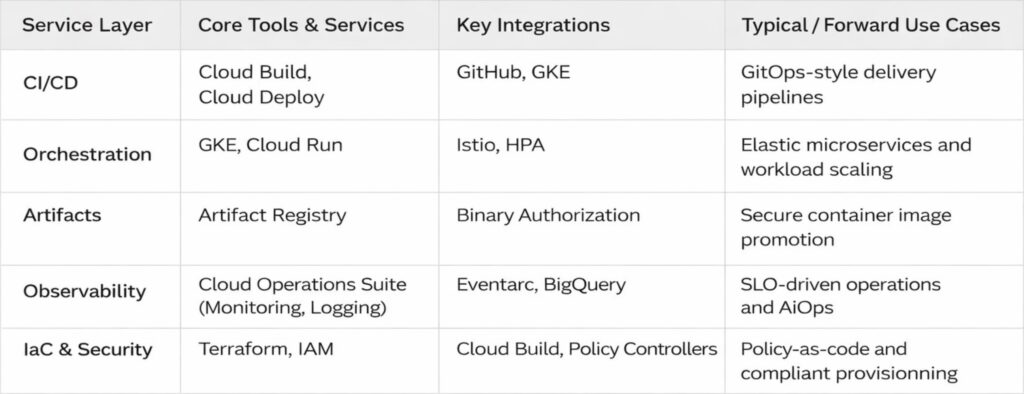
GCP services DevOps engineers rely on

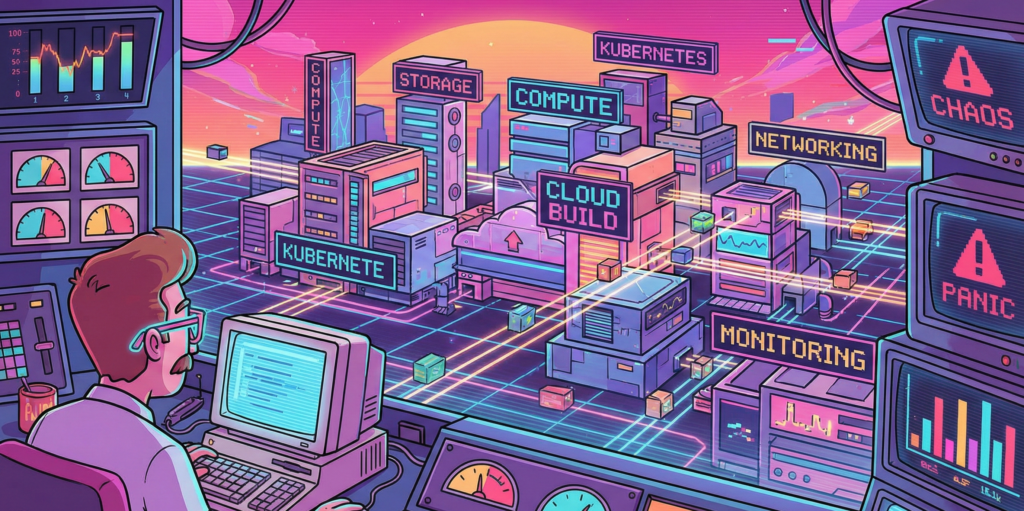
I have spent the better part of three years wrestling with Google Cloud Platform, and I am still not entirely convinced it wasn’t designed by a group of very clever people who occasionally enjoy a quiet laugh at the rest of us. The thing about GCP, you see, is that it works beautifully right up until the moment it doesn’t. Then it fails with such spectacular and Byzantine complexity that you find yourself questioning not just your career choices but the fundamental nature of causality itself.

My first encounter with Cloud Build was typical of this experience. I had been tasked with setting up a CI/CD pipeline for a microservices architecture, which is the modern equivalent of being told to build a Swiss watch while someone steadily drops marbles on your head. Jenkins had been our previous solution, a venerable old thing that huffed and puffed like a steam locomotive and required more maintenance than a Victorian greenhouse. Cloud Build promised to handle everything serverlessly, which is a word that sounds like it ought to mean something, but in practice simply indicates you won’t know where your code is running and you certainly won’t be able to SSH into it when things go wrong.

The miracle, when it arrived, was decidedly understated. I pushed some poorly written Go code to a repository and watched as Cloud Build sprang into life like a sleeper agent receiving instructions. It ran my tests, built a container, scanned it for vulnerabilities, and pushed it to storage. The whole process took four minutes and cost less than a cup of tea. I sat there in my home office, the triumph slowly dawning, feeling rather like a man who has accidentally trained his cat to make coffee. I had done almost nothing, yet everything had happened. This is the essential GCP magic, and it is deeply unnerving.

The vulnerability scanner is particularly wonderful in that quietly horrifying way. It examines your containers and produces a list of everything that could possibly go wrong, like a pilot’s pre-flight checklist written by a paranoid witchfinder general. On one memorable occasion, it flagged a critical vulnerability in a library I wasn’t even aware we were using. It turned out to be nested seven dependencies deep, like a Russian doll of potential misery. Fixing it required updating something else, which broke something else, which eventually led me to discover that our entire authentication layer was held together by a library last maintained in 2018 by someone who had subsequently moved to a commune in Oregon. The scanner was right, of course. It always is. It is the most anxious and accurate employee you will ever meet.

Google Kubernetes Engine or how I learned to stop worrying and love the cluster

If Cloud Build is the efficient butler, GKE is the robot overlord you find yourself oddly grateful to. My initial experience with Kubernetes was self-managed, which taught me many things, primarily that I do not have the temperament to manage Kubernetes. I spent weeks tuning etcd, debugging network overlays, and developing what I can only describe as a personal relationship with a persistent volume that refused to mount. It was less a technical exercise and more a form of digitally enhanced psychotherapy.

GKE’s Autopilot mode sidesteps all this by simply making the nodes disappear. You do not manage nodes. You do not upgrade nodes. You do not even, strictly speaking, know where the nodes are. They exist in the same conceptual space as socks that vanish from laundry cycles. You request resources, and they materialise, like summoning a very specific and obliging genie. The first time I enabled Autopilot, I felt I was cheating somehow, as if I had been given the answers to an exam I had not revised for.

The real genius is Workload Identity, a feature that allows pods to access Google services without storing secrets. Before this, secret management was a dark art involving base64 encoding and whispered incantations. We kept our API keys in Kubernetes secrets, which is rather like keeping your house keys under the doormat and hoping burglars are too polite to look there. Workload Identity removes all this by using magic, or possibly certificates, which are essentially the same thing in cloud computing. I demonstrated it to our security team, and their reaction was instructive. They smiled, which security people never do, and then they asked me to prove it was actually secure, which took another three days and several diagrams involving stick figures.

Istio integration completes the picture, though calling it integration suggests a gentle handshake when it is more like being embraced by a very enthusiastic octopus. It gives you observability, security, and traffic management at the cost of considerable complexity and a mild feeling that you have lost control of your own architecture. Our first Istio deployment doubled our pod count and introduced latency that made our application feel like it was wading through treacle. Tuning it took weeks and required someone with a master’s degree in distributed systems and the patience of a saint. When it finally worked, it was magnificent. Requests flowed like water, security policies enforced themselves with silent efficiency, and I felt like a man who had tamed a tiger through sheer persistence and a lot of treats.

Cloud Deploy and the gentle art of not breaking everything

Progressive delivery sounds like something a management consultant would propose during a particularly expensive lunch, but Cloud Deploy makes it almost sensible. The service orchestrates rollouts across environments with strategies like canary and blue-green, which are named after birds and colours because naming things is hard, and DevOps engineers have a certain whimsical desperation about them.

My first successful canary deployment felt like performing surgery on a patient who was also the anaesthetist. We routed 5 percent of traffic to the new version and watched our metrics like nervous parents at a school play. When errors spiked, I expected a frantic rollback procedure involving SSH and tarballs. Instead, I clicked a button, and everything reverted in thirty seconds. The old version simply reappeared, fully formed, like a magic trick performed by someone who actually understands magic. I walked around the office for the rest of the day with what my colleagues described as a smug grin, though I prefer to think of it as the justified expression of someone who has witnessed a minor miracle.

The integration with Cloud Build creates a pipeline so smooth it is almost suspicious. Code commits trigger builds, builds trigger deployments, deployments trigger monitoring alerts, and alerts trigger automated rollbacks. It is a closed loop, a perpetual motion machine of software delivery. I once watched this entire chain execute while I was making a sandwich. By the time I had finished my ham and pickle on rye, a critical bug had been introduced, detected, and removed from production without any human intervention. I was simultaneously impressed and vaguely concerned about my own obsolescence.

Artifact Registry where containers go to mature

Storing artifacts used to involve a self-hosted Nexus repository that required weekly sacrifices of disk space and RAM. Artifact Registry is Google’s answer to this, a fully managed service that stores Docker images, Helm charts, and language packages with the solemnity of a wine cellar for code.

The vulnerability scanning here is particularly thorough, examining every layer of your container with the obsessive attention of someone who alphabetises their spice rack. It once flagged a high-severity issue in a base image we had been using for six months. The vulnerability allowed arbitrary code execution, which is the digital equivalent of leaving your front door open with a sign saying “Free laptops inside.” We had to rebuild and redeploy forty services in two days. The scanner, naturally, had known about this all along but had been politely waiting for us to notice.

Geo-replication is another feature that seems obvious until you need it. Our New Zealand team was pulling images from a European registry, which meant every deployment involved sending gigabytes of data halfway around the world. This worked about as well as shouting instructions across a rugby field during a storm. Moving to a regional registry in New Zealand cut our deployment times by half and our egress fees by a third. It also taught me that cloud networking operates on principles that are part physics, part economics, and part black magic.

Cloud Operations Suite or how I learned to love the machine that watches me

Observability in GCP is orchestrated by the Cloud Operations Suite, formerly known as Stackdriver. The rebranding was presumably because Stackdriver sounded too much like a dating app for developers, which is a missed opportunity if you ask me.

The suite unifies logs, metrics, traces, and dashboards into a single interface that is both comprehensive and bewildering. The first time I opened Cloud Monitoring, I was presented with more graphs than a hedge fund’s annual report. CPU, memory, network throughput, disk IOPS, custom metrics, uptime checks, and SLO burn rates. It was beautiful and terrifying, like watching the inner workings of a living organism that you have created but do not fully understand.

Setting up SLOs felt like writing a promise to my future self. “I, a DevOps engineer of sound mind, do hereby commit to maintaining 99.9 percent availability.” The system then watches your service like a particularly judgmental deity and alerts you the moment you transgress. I once received a burn rate alert at 2 AM because a pod had been slightly slow for ten minutes. I lay in bed, staring at my phone, wondering whether to fix it or simply accept that perfection was unattainable and go back to sleep. I fixed it, of course. We always do.

The integration with BigQuery for long-term analysis is where things get properly clever. We export all our logs and run SQL queries to find patterns. This is essentially data archaeology, sifting through digital sediment to understand why something broke three weeks ago. I discovered that our highest error rates always occurred on Tuesdays between 2 and 3 PM. Why? A scheduled job that had been deprecated but never removed, running on a server everyone had forgotten about. Finding it felt like discovering a Roman coin in your garden, exciting but also slightly embarrassing that you hadn’t noticed it before.

Cloud Monitoring and Logging the digital equivalent of a nervous system

Cloud Logging centralises petabytes of data from services that generate logs with the enthusiasm of a teenager documenting their lunch. Querying this data feels like using a search engine that actually works, which is disconcerting when you’re used to grep and prayer.

I once spent an afternoon tracking down a memory leak using Cloud Profiler, a service that shows you exactly where your code is being wasteful with RAM. It highlighted a function that was allocating memory like a government department allocates paper clips, with cheerful abandon and no regard for consequences. The function turned out to be logging entire database responses for debugging purposes, in production, for six months. We had archived more debug data than actual business data. The developer responsible, when confronted, simply shrugged and said it had seemed like a good idea at the time. This is the eternal DevOps tragedy. Everything seems like a good idea at the time.

Uptime checks are another small miracle. We have probes hitting our endpoints from locations around the world, like a global network of extremely polite bouncers constantly asking, “Are you open?” When Mumbai couldn’t reach our service but London could, it led us to discover a regional DNS issue that would have taken days to diagnose otherwise. The probes had saved us, and they had done so without complaining once, which is more than can be said for the on-call engineer who had to explain it to management at 6 AM.

Cloud Functions and Cloud Run, where code goes to hide

Serverless computing in GCP comes in two flavours. Cloud Functions are for small, event-driven scripts, like having a very eager intern who only works when you clap. Cloud Run is for containerised applications that scale to zero, which is an economical way of saying they disappear when nobody needs them and materialise when they do, like an introverted ghost.

I use Cloud Functions for automation tasks that would otherwise require cron jobs on a VM that someone has to maintain. One function resizes GKE clusters based on Cloud Monitoring alerts. When CPU utilisation exceeds 80 percent for five minutes, the function spins up additional nodes. When it drops below 20 percent, it scales down. This is brilliant until you realise you’ve created a feedback loop and the cluster is now oscillating between one node and one hundred nodes every ten minutes. Tuning the thresholds took longer than writing the function, which is the serverless way.

Cloud Run hosts our internal tools, the dashboards, and debug interfaces that developers need but nobody wants to provision infrastructure for. Deploying is gloriously simple. You push a container, it runs. The cold start time is sub-second, which means Google has solved a problem that Lambda users have been complaining about for years, presumably by bargaining with physics itself. I once deployed a debugging tool during an incident response. It was live before the engineer who requested it had finished describing what they needed. Their expression was that of someone who had asked for a coffee and been given a flying saucer.

Terraform and Cloud Deployment Manager arguing with machines about infrastructure

Infrastructure as Code is the principle that you should be able to rebuild your entire environment from a text file, which is lovely in theory and slightly terrifying in practice. Terraform, using the GCP provider, is the de facto standard. It is also a source of endless frustration and occasional joy.

The state file is the heart of the problem. It is a JSON representation of your infrastructure that Terraform keeps in Cloud Storage, and it is the single source of truth until someone deletes it by accident, at which point the truth becomes rather more philosophical. We lock the state during applies, which prevents conflicts but also means that if an apply hangs, everyone is blocked. I have spent afternoons staring at a terminal, watching Terraform ponder the nature of a load balancer, like a stoned philosophy student contemplating a spoon.

Deployment Manager is Google’s native IaC tool, which uses YAML and is therefore slightly less powerful but considerably easier to read. I use it for simple projects where Terraform would be like using a sledgehammer to crack a nut, if the sledgehammer required you to understand graph theory. The two tools coexist uneasily, like cats who tolerate each other for the sake of the humans.

Drift detection is where things get properly philosophical. Terraform tells you when reality has diverged from your code, which happens more often than you’d think. Someone clicks something in the console, a service account is modified, a firewall rule is added for “just a quick test.” The plan output shows these changes like a disappointed teacher marking homework in red pen. You can either apply the correction or accept that your infrastructure has developed a life of its own and is now making decisions independently. Sometimes I let the drift stand, just to see what happens. This is how accidents become features.

IAM and Cloud Asset Inventory, the endless game of who can do what

Identity and Access Management in GCP is both comprehensive and maddening. Every API call is authenticated and authorised, which is excellent for security but means you spend half your life granting permissions to service accounts. A service account, for the uninitiated, is a machine pretending to be a person so it can ask Google for things. They are like employees who never take a holiday but also never buy you a birthday card.

Workload Identity Federation allows these synthetic employees to impersonate each other across clouds, which is identity management crossed with method acting. We use it to let our AWS workloads access GCP resources, a process that feels rather like introducing two friends who are suspicious of each other and speak different languages. When it works, it is seamless. When it fails, the error messages are so cryptic they may as well be in Linear B.

Cloud Asset Inventory catalogs every resource in your organisation, which is invaluable for audits and deeply unsettling when you realise just how many things you’ve created and forgotten about. I once ran a report and discovered seventeen unused load balancers, three buckets full of logs from a project that ended in 2023, and a Cloud SQL instance that had been running for six months with no connections. The bill was modest, but the sense of waste was profound. I felt like a hoarder being confronted with their own clutter.

For European enterprises, the GDPR compliance features are critical. We export audit logs to BigQuery and run queries to prove data residency. The auditors, when they arrived, were suspicious of everything, which is their job. They asked for proof that data never left the europe-west3 region. I showed them VPC Service Controls, which are like digital border guards that shoot packets trying to cross geographical boundaries. They seemed satisfied, though one of them asked me to explain Kubernetes, and I saw his eyes glaze over in the first thirty seconds. Some concepts are simply too abstract for mortal minds.

Eventarc and Cloud Scheduler the nervous system of the cloud

Eventarc routes events from over 100 sources to your serverless functions, creating event-driven architectures that are both elegant and impossible to debug. An event is a notification that something happened, somewhere, and now something else should happen somewhere else. It is causality at a distance, action at a remove.

I have an Eventarc trigger that fires when a vulnerability is found, sending a message to Pub/Sub, which fans out to multiple subscribers. One subscriber posts to Slack, another creates a ticket, and a third quarantines the image. It is a beautiful, asynchronous ballet that I cannot fully trace. When it fails, it fails silently, like a mime having a heart attack. The dead-letter queue catches the casualties, which I check weekly like a coroner reviewing unexplained deaths.

Cloud Scheduler handles cron jobs, which are the digital equivalent of remembering to take the bins out. We have schedules that scale down non-production environments at night, saving money and carbon. I once set the timezone incorrectly and scaled down the production cluster at midday. The outage lasted three minutes, but the shame lasted considerably longer. The team now calls me “the scheduler whisperer,” which is not the compliment it sounds like.

The real power comes from chaining these services. A Monitoring alert triggers Eventarc, which invokes a Cloud Function, which checks something via Scheduler, which then triggers another function to remediate. It is a Rube Goldberg machine built of code, more complex than it needs to be, but weirdly satisfying when it works. I have built systems that heal themselves, which is either the pinnacle of DevOps achievement or the first step towards Skynet. I prefer to think it is the former.

The map we all pretend to understand

Every DevOps journey, no matter how anecdotal, eventually requires what consultants call a “high-level architecture overview” and what I call a desperate attempt to comprehend the incomprehensible. During my second year on GCP, I created exactly such a diagram to explain to our CFO why we were spending $47,000 a month on something called “Cross-Regional Egress.” The CFO remained unmoved, but the diagram became my Rosetta Stone for navigating the platform’s ten core services.

I’ve reproduced it here partly because I spent three entire afternoons aligning boxes in Lucidchart, and partly because even the most narrative-driven among us occasionally needs to see the forest’s edge while wandering through the trees. Consider it the technical appendix you can safely ignore, unless you’re the poor soul actually implementing any of this.

There it is, in all its tabular glory. Five rows that represent roughly fifteen thousand hours of human effort, and at least three separate incidents involving accidentally deleted production namespaces. The arrows are neat and tidy, which is more than can be said for any actual implementation.

I keep a laminated copy taped to my monitor, not because I consult it; I have the contents memorised, along with the scars that accompany each service, but because it serves as a reminder that even the most chaotic systems can be reduced to something that looks orderly on PowerPoint. The real magic lives in the gaps between those tidy boxes, where service accounts mysteriously expire, where network policies behave like quantum particles, and where the monthly bill arrives with numbers that seem generated by a random number generator with a grudge.

A modest proposal for surviving GCP

That table represents the map. What follows is the territory, with all its muddy bootprints and unexpected cliffs.

After three years, I have learned that the best DevOps engineers are not the ones with the most certificates. They are the ones who have learned to read the runes, who know which logs matter and which can be ignored, who have developed an intuitive sense for when a deployment is about to fail and can smell a misconfigured IAM binding at fifty paces. They are part sysadmin, part detective, part wizard.

The platform makes many things possible, but it does not make them easy. It is infrastructure for grown-ups, which is to say it trusts you to make expensive mistakes and learn from them. My advice is to start small, automate everything, and keep a sense of humour. You will need it the first time you accidentally delete a production bucket and discover that the undo button is marked “open a support ticket and wait.”

Store your manifests in Git and let Cloud Deploy handle the applying. Define SLOs and let the machines judge you. Tag resources for cost allocation and prepare to be horrified by the results. Replicate artifacts across regions because the internet is not as reliable as we pretend. And above all, remember that the cloud is not magic. It is simply other people’s computers running other people’s code, orchestrated by APIs that are occasionally documented and frequently misunderstood.

We build on these foundations because they let us move faster, scale further, and sleep slightly better at night, knowing that somewhere in a data centre in Belgium, a robot is watching our servers and will wake us only if things get truly interesting.

That is the theory, anyway. In practice, I still keep my phone on loud, just in case.

Kubernetes the toxic coworker my team couldn’t fire

The Slack notification arrived with the heavy, damp enthusiasm of a wet dog jumping into your lap while you are wearing a tuxedo. It was late on a Thursday, the specific hour when ambitious caffeine consumption turns into existential regret, and the message was brief.

“I don’t think I can do this anymore. Not the coding. The infrastructure. I’m out.”

This wasn’t a junior developer overwhelmed by the concept of recursion. This was my lead backend engineer. A human Swiss Army knife who had spent nine years navigating the dark alleys of distributed systems and could stare down a production outage with the heart rate of a sleeping tortoise. He wasn’t leaving because of burnout from long hours, or an equity dispute, or even because someone microwaved fish in the breakroom.

He was leaving because of Kubernetes.

Specifically, he was leaving because the tool we had adopted to “simplify” our lives had slowly morphed into a second, unpaid job that required the patience of a saint and the forensic skills of a crime scene investigator. We had turned his daily routine of shipping features into a high-stakes game of operation where touching the wrong YAML indentation caused the digital equivalent of a sewer backup.

It was a wake-up call that hit me harder than the realization that the Tupperware at the back of my fridge has evolved its own civilization. We treat Kubernetes like a badge of honor, a maturity medal we pin to our chests. But the dirty secret everyone is too polite to whisper at conferences is that we have invited a chaotic, high-maintenance tyrant into our homes and given it the master bedroom.

When the orchestrator becomes a lifestyle disease

We tend to talk about “cognitive load” in engineering with the same sterile detachment we use to discuss disk space or latency. It sounds clean. Manageable. But in practice, the cognitive load imposed by a raw, unabstracted Kubernetes setup is less like a hard drive filling up and more like trying to cook a five-course gourmet meal while a badger is gnawing on your ankle.

The promise was seductive. We were told that Kubernetes would be the universal adapter for the cloud. It would be the operating system of the internet. And in a way, it is. But it is an operating system that requires you to assemble the kernel by hand every morning before you can open your web browser.

My star engineer didn’t want to leave. He just wanted to write code that solved business problems. Instead, he found himself spending 40% of his week debugging ingress controllers that behaved like moody teenagers (silent, sullen, and refusing to do what they were told) and wrestling with pod eviction policies that seemed based on the whim of a vengeful god rather than logic.

We had fallen into the classic trap of Resume Driven Development. We handed application developers the keys to the cluster and told them they were now “DevOps empowered.” In reality, this is like handing a teenager the keys to a nuclear submarine because they once successfully drove a golf cart. It doesn’t empower them. It terrifies them.

(And let’s be honest, most backend developers look at a Kubernetes manifest with the same mix of confusion and horror that I feel when looking at my own tax returns.)

The archaeological dig of institutional knowledge

The problem with complexity is that it rarely announces itself with a marching band. It accumulates silently, like dust bunnies under a bed, or plaque in an artery.

When we audited our setup after the resignation, we found that our cluster had become a museum of good intentions gone wrong. We found Helm charts that were so customized they effectively constituted a new, undocumented programming language. We found sidecar containers attached to pods for reasons nobody could remember, sucking up resources like barnacles on the hull of a ship, serving no purpose other than to make the diagrams look impressive.

This is what I call “Institutional Knowledge Debt.” It represents the sort of fungal growth that occurs when you let complexity run wild. You know it is there, evolving its own ecosystem, but as long as you don’t look at it directly, you don’t have to acknowledge that it might be sentient.

The “Bus Factor” in our team (the number of people who can get hit by a bus before the project collapses) had reached a terrifying number: one. And that one person had just quit. We had built a system where deploying a hotfix required a level of tribal knowledge usually reserved for initiating members into a secret society.

YAML is just a ransom note with better indentation

If you want to understand why developers hate modern infrastructure, look no further than the file format we use to define it. YAML.

We found files in our repository that were less like configuration instructions and more like love letters written by a stalker: intense, repetitive, and terrifyingly vague about their actual intentions.

The fragility of it is almost impressive. A single misplaced space, a tab character where a space should be, or a dash that looked at you the wrong way, and the entire production environment simply decides to take the day off. It is absurd that in an era of AI assistants and quantum computing, our billion-dollar industries hinge on whether a human being pressed the spacebar two times or four times.

Debugging these files is not engineering. It is hermeneutics. It is reading tea leaves. You stare at the CrashLoopBackOff error message, which is the system’s way of saying “I am unhappy, but I will not tell you why,” and you start making sacrifices to the gods of indentation.

My engineer didn’t hate the logic. He hated the medium. He hated that his intellect was being wasted on the digital equivalent of untangling Christmas lights.

We built a platform to stop the bleeding

The solution to this mess was not to hire “better” engineers who memorized the entire Kubernetes API documentation. That is a strategy akin to buying larger pants instead of going on a diet. It accommodates the problem, but it doesn’t solve it.

We had to perform an exorcism. But not a dramatic one with spinning heads. A boring, bureaucratic one.

We embraced Platform Engineering. Now, that is a buzzword that usually makes my eyes roll back into my head so far I can see my own frontal lobe, but in this case, it was the only way out. We decided to treat the platform as a product and our developers as the customers, customers who are easily confused and frighten easily.

We took the sharp objects away.

We built “Golden Paths.” In plain English, this means we created templates that work. If a developer wants to deploy a microservice, they don’t need to write a 400-line YAML manifesto. They fill out a form that asks five questions: What is it called? How much memory does it need? Who do we call if it breaks?

We hid the Kubernetes API behind a curtain. We stopped asking application developers to care about PodDisruptionBudgets or AffinityRules. Asking a Java developer to configure node affinity is like asking a passenger on an airplane to help calibrate the landing gear. It is not their job, and if they are doing it, something has gone terribly wrong.

Boring is the only metric that matters

After three months of stripping away the complexity, something strange happened. The silence.

The Slack channel dedicated to deployment support, previously a scrolling wall of panic and “why is my pod pending?” screenshots, went quiet. Deployments became boring.

And let me tell you, in the world of infrastructure, boring is the new sexy. Boring means things work. Boring means I can sleep through the night without my phone buzzing across the nightstand like an angry hornet.

Kubernetes is a marvel of engineering. It is powerful, scalable, and robust. But it is also a dense, hostile environment for humans. It is an industrial-grade tool. You don’t put an industrial lathe in your home kitchen to slice carrots, and you shouldn’t force every developer to operate a raw Kubernetes cluster just to serve a web page.

If you are hiring brilliant engineers, you are paying for their ability to solve logic puzzles and build features. If you force them to spend half their week fighting with infrastructure, you are effectively paying a surgeon to mop the hospital floors.

So look at your team. Look at their eyes. If they look tired, not from the joy of creation but from the fatigue of fighting their own tools, you might have a problem. That star engineer isn’t planning their next feature. They are drafting their resignation letter, and it probably won’t be written in YAML.

Docker didn’t die, it just moved to your laptop

Docker used to be the answer you gave when someone asked, “How do we ship this thing?” Now it’s more often the answer to a different question, “How do I run this thing locally without turning my laptop into a science fair project?”

That shift is not a tragedy. It’s not even a breakup. It’s more like Docker moved out of the busy downtown apartment called “production” and into a cozy suburb called “developer experience”, where the lawns are tidy, the tools are friendly, and nobody panics if you restart everything three times before lunch.

This article is about what changed, why it changed, and why Docker is still very much worth knowing, even if your production clusters rarely whisper its name anymore.

What we mean when we say Docker

One reason this topic gets messy is that “Docker” is a single word used to describe several different things, and those things have very different jobs.

  • Docker Desktop is the product that many developers actually interact with day to day, especially on macOS and Windows.
  • Docker Engine and the Docker daemon are the background machinery that runs containers on a host.
  • The Docker CLI and Dockerfile workflow are the human-friendly interface and the packaging format that people have built habits around.

When someone says “Docker is dying,” they usually mean “Docker Engine is no longer the default runtime in production platforms.” When someone says “Docker is everywhere,” they often mean “Docker Desktop and Dockerfile workflows are still the easiest way to get a containerized dev environment running quickly.”

Both statements can be true at the same time, which is annoying, because humans prefer their opinions to come in single-serving packages.

Docker’s rise and the good kind of magic

Docker didn’t become popular because it invented containers. Containers existed before Docker. Docker became popular because it made containers feel approachable.

It offered a developer experience that felt like a small miracle:

  • You could build images with a straightforward command.
  • You could run containers without a small dissertation on Linux namespaces.
  • You could push to registries and share a runnable artifact.
  • You could spin up multi-service environments with Docker Compose.

Docker took something that used to feel like “advanced systems programming” and turned it into “a thing you can demo on a Tuesday.”

If you were around for the era of XAMPP, WAMP, and “download this zip file, then pray,” Docker felt like a modern version of that, except it didn’t break as soon as you looked at it funny.

The plot twist in production

Here is the part where the story becomes less romantic.

Production infrastructure grew up.

Not emotionally, obviously. Infrastructure does not have feelings. It has outages. But it did mature in a very specific way: platforms started to standardize around container runtimes and interfaces that did not require Docker’s full bundled experience.

Docker was the friendly all-in-one kitchen appliance. Production systems wanted an industrial kitchen with separate appliances, separate controls, and fewer surprises.

Three forces accelerated the shift.

Licensing concerns changed the mood

Docker Desktop licensing changes made a lot of companies pause, not because engineers suddenly hated Docker, but because legal teams developed a new hobby.

The typical sequence went like this:

  1. Someone in finance asked, “How many Docker Desktop users do we have?”
  2. Someone in legal asked, “What exactly are we paying for?”
  3. Someone in infrastructure said, “We can probably do this with Podman or nerdctl.”

A tool can survive engineers complaining about it. Engineers complain about everything. The real danger is when procurement turns your favorite tool into a spreadsheet with a red cell.

The result was predictable: even developers who loved Docker started exploring alternatives, if only to reduce risk and friction.

The runtime world standardized without Docker

Modern container platforms increasingly rely on runtimes like containerd and interfaces like the Container Runtime Interface (CRI).

Kubernetes is a key example. Kubernetes removed the direct Docker integration path that many people depended on in earlier years, and the ecosystem moved toward CRI-native runtimes. The point was not to “ban Docker.” The point was to standardize around an interface designed specifically for orchestrators.

This is a subtle but important difference.

  • Docker is a complete experience, build, run, network, UX, opinions included.
  • Orchestrators prefer modular components, and they want to speak to a runtime through a stable interface.

The practical effect is what most teams feel today:

  • In many Kubernetes environments, the runtime is containerd, not Docker Engine.
  • Managed platforms such as ECS Fargate and other orchestrated services often run containers without involving Docker at all.

Docker, the daemon, became optional.

Security teams like control, and they do not like surprises

Security teams do not wake up in the morning and ask, “How can I ruin a developer’s day?” They wake up and ask, “How can I make sure the host does not become a piñata full of root access?”

Docker can be perfectly secure when used well. The problem is that it can also be spectacularly insecure when used casually.

Two recurring issues show up in real organizations:

  • The Docker socket is powerful. Expose it carelessly, and you are effectively offering a fast lane to host-level control.
  • The classic pattern of “just give developers sudo docker” can become a horror story with a polite ticket number.

Tools and workflows that separate concerns tend to make security people calmer.

  • Build tools such as BuildKit and buildah isolate image creation.
  • Rootless approaches, where feasible, reduce blast radius.
  • Runtime components can be locked down and audited more granularly.

This is not about blaming Docker. It’s about organizations preferring a setup where the sharp knives are stored in a drawer, not taped to the ceiling.

What Docker is now

Docker’s new role is less “the thing that runs production” and more “the thing that makes local development less painful.”

And that role is huge.

Docker still shines in areas where convenience matters most:

  • Local development environments
  • Quick reproducible demos
  • Multi-service stacks on a laptop
  • Cross-platform consistency on macOS, Windows, and Linux
  • Teams that need a simple standard for “how do I run this?”

If your job is to onboard new engineers quickly, Docker is still one of the best ways to avoid the dreaded onboarding ritual where a senior engineer says, “It works on my machine,” and the junior engineer quietly wonders if their machine has offended someone.

A small example that still earns its keep

Here is a minimal Docker Compose stack that demonstrates why Docker remains lovable for local development.

services:
  api:
    build: .
    ports:
      - "8080:8080"
    environment:
      DATABASE_URL: postgres://postgres:example@db:5432/app
    depends_on:
      - db

  db:
    image: postgres:16
    environment:
      POSTGRES_PASSWORD: example
      POSTGRES_DB: app
    ports:
      - "5432:5432"

This is not sophisticated. That is the point. It is the “plug it in and it works” power that made Docker famous.

Dockerfile is not the Docker daemon

This is where the confusion often peaks.

A Dockerfile is a packaging recipe. It is widely used. It remains a de facto standard, even when the runtime or build system is not Docker.

Many teams still write Dockerfiles, but build them using tooling that does not rely on the Docker daemon on the CI runner.

Here is a BuildKit example that builds and pushes an image without treating the Docker daemon as a requirement.

buildctl build \
  --frontend dockerfile.v0 \
  --local context=. \
  --local dockerfile=. \
  --output type=image,name=registry.example.com/app:latest,push=true

You can read this as “Dockerfile lives on, but Docker-as-a-daemon is no longer the main character.”

This separation matters because it changes how you design CI.

  • You can build images in environments where running a privileged Docker daemon is undesirable.
  • You can use builders that integrate better with Kubernetes or cloud-native pipelines.
  • You can reduce the amount of host-level power you hand out just to produce an artifact.

What replaced Docker in production pipelines

When teams say they are moving away from Docker in production, they rarely mean “we stopped using containers.” They mean the tooling around building and running containers is shifting.

Common patterns include:

  • containerd as the runtime in Kubernetes and other orchestrated environments
  • BuildKit for efficient builds and caching
  • kaniko for building images inside Kubernetes without a Docker daemon
  • ko for building and publishing Go applications as images without a Dockerfile
  • Buildpacks or Nixpacks for turning source code into runnable images using standardized build logic
  • Dagger and similar tools for defining CI pipelines that treat builds as portable graphs of steps

You do not need to use all of these. You just need to understand the trend.

Production platforms want:

  • Standard interfaces
  • Smaller, auditable components
  • Reduced privilege
  • Reproducible builds

Docker can participate in that world, but it no longer owns the whole stage.

A Kubernetes-friendly image build example

If you want a concrete example of the “no Docker daemon” approach, kaniko is a popular choice in cluster-native pipelines.

apiVersion: batch/v1
kind: Job
metadata:
  name: build-image-kaniko
spec:
  template:
    spec:
      restartPolicy: Never
      containers:
        - name: kaniko
          image: gcr.io/kaniko-project/executor:latest
          args:
            - "--dockerfile=Dockerfile"
            - "--context=dir:///workspace"
            - "--destination=registry.example.com/app:latest"
          volumeMounts:
            - name: workspace
              mountPath: /workspace
      volumes:
        - name: workspace
          emptyDir: {}

This is intentionally simplified. In a real setup, you would bring your own workspace, your own auth mechanism, and your own caching strategy. But even in this small example, the idea is visible: build the image where it makes sense, without turning every CI runner into a tiny Docker host.

The practical takeaway for architects and platform teams

If you are designing platforms, the question is not “Should we ban Docker?” The question is “Where does Docker add value, and where does it create unnecessary coupling?”

A simple mental model helps.

  • Developer laptops benefit from a friendly tool that makes local environments predictable.
  • CI systems benefit from builder choices that reduce privilege and improve caching.
  • Production runtimes benefit from standardized interfaces and minimal moving parts.

Docker tends to dominate the first category, participates in the second, and is increasingly optional in the third.

If your team still uses Docker Engine on production hosts, that is not automatically wrong. It might be perfectly fine. The important thing is that you are doing it intentionally, not because “that’s how we’ve always done it.”

Why this is actually a success story

There is a temptation in tech to treat every shift as a funeral.

But Docker moving toward local development is not a collapse. It is a sign that the ecosystem absorbed Docker’s best ideas and made them normal.

The standardization of OCI images, the popularity of Dockerfile workflows, and the expectations around reproducible environments, all of that is Docker’s legacy living in the walls.

Docker is still the tool you reach for when you want to:

  • start fast
  • teach someone new
  • run a realistic stack on a laptop
  • avoid spending your afternoon installing the same dependencies in three different ways

That is not “less important.” That is foundational.

If anything, Docker’s new role resembles a very specific kind of modern utility.

It is like Visual Studio Code.

Everyone uses it. Everyone argues about it. It is not what you deploy to production, but it is the thing that makes building and testing your work feel sane.

Docker didn’t die.

It just moved to your laptop, brought snacks, and quietly let production run the serious machinery without demanding to be invited to every meeting.

Let IAM handle the secrets you can avoid

There are two kinds of secrets in cloud security.

The first kind is the legitimate kind: a third-party API token, a password for something you do not control, a certificate you cannot simply wish into existence.

The second kind is the kind we invent because we are in a hurry: long-lived access keys, copied into a config file, then copied into a Docker image, then copied into a ticket, then copied into the attacker’s weekend plans.

This article is about refusing to participate in that second category.

Not because secrets are evil. Because static credentials are the “spare house key under the flowerpot” of AWS. Convenient, popular, and a little too generous with access for something that can be photographed.

The goal is not “no secrets exist.” The goal is no secrets live in code, in images, or in long-lived credentials.

If you do that, your security posture stops depending on perfect human behavior, which is great because humans are famously inconsistent. (We cannot all be trusted with a jar of cookies, and we definitely cannot all be trusted with production AWS keys.)

Why this works in real life

AWS already has a mechanism designed to prevent your applications from holding permanent credentials: IAM roles and temporary credentials (STS).

When your Lambda runs with an execution role, AWS hands it short-lived credentials automatically. They rotate on their own. There is nothing to copy, nothing to stash, nothing to rotate in a spreadsheet named FINAL-final-rotation-plan.xlsx.

What remains are the unavoidable secrets, usually tied to systems outside AWS. For those, you store them in AWS Secrets Manager and retrieve them at runtime. Not at build time. Not at deploy time. Not by pasting them into an environment variable and calling it “secure” because you used uppercase letters.

This gives you a practical split:

  • Avoidable secrets are replaced by IAM roles and temporary credentials
  • Unavoidable secrets go into Secrets Manager, encrypted and tightly scoped

The architecture in one picture

A simple flow to keep in mind:

  1. A Lambda function runs with an IAM execution role
  2. The function fetches one third-party API key from Secrets Manager at runtime
  3. The function calls the third-party API and writes results to DynamoDB
  4. Network access to Secrets Manager stays private through a VPC interface endpoint (when the Lambda runs in a VPC)

The best part is what you do not see.

No access keys. No “temporary” keys that have been temporary since 2021. No secrets baked into ZIPs or container layers.

What this protects you from

This pattern is not a magic spell. It is a seatbelt.

It helps reduce the chance of:

  • Credentials leaking through Git history, build logs, tickets, screenshots, or well-meaning copy-paste
  • Forgotten key rotation schedules that quietly become “never.”
  • Overpowered policies that turn a small bug into a full account cleanup
  • Unnecessary public internet paths for sensitive AWS API calls

Now let’s build it, step by step, with code snippets that are intentionally sanitized.

Step 1 build an IAM execution role with tight policies

The execution role is the front door key your Lambda carries.

If you give it access to everything, it will eventually use that access, if only because your future self will forget why it was there and leave it in place “just in case.”

Keep it boring. Keep it small.

Here is an example IAM policy for a Lambda that only needs to:

  • write to one DynamoDB table
  • read one secret from Secrets Manager
  • decrypt using one KMS key (optional, depending on how you configure encryption)
{
  "Version": "2012-10-17",
  "Statement": [
    {
      "Sid": "WriteToOneTable",
      "Effect": "Allow",
      "Action": [
        "dynamodb:PutItem",
        "dynamodb:UpdateItem"
      ],
      "Resource": "arn:aws:dynamodb:eu-west-1:111122223333:table/app-results-prod"
    },
    {
      "Sid": "ReadOneSecret",
      "Effect": "Allow",
      "Action": [
        "secretsmanager:GetSecretValue"
      ],
      "Resource": "arn:aws:secretsmanager:eu-west-1:111122223333:secret:thirdparty/weather-api-key-*"
    },
    {
      "Sid": "DecryptOnlyThatKey",
      "Effect": "Allow",
      "Action": [
        "kms:Decrypt"
      ],
      "Resource": "arn:aws:kms:eu-west-1:111122223333:key/12345678-90ab-cdef-1234-567890abcdef",
      "Condition": {
        "StringEquals": {
          "kms:ViaService": "secretsmanager.eu-west-1.amazonaws.com"
        }
      }
    }
  ]
}

A few notes that save you from future regret:

  • The secret ARN ends with -* because Secrets Manager appends a random suffix.
  • The KMS condition helps ensure the key is used only through Secrets Manager, not as a general-purpose decryption service.
  • You can skip the explicit kms:Decrypt statement if you use the AWS-managed key and accept the default behavior, but customer-managed keys are common in regulated environments.

Step 2 store the unavoidable secret properly

Secrets Manager is not a place to dump everything. It is a place to store what you truly cannot avoid.

A third-party API key is a perfect example because IAM cannot replace it. AWS cannot assume a role in someone else’s SaaS.

Use a JSON secret so you can extend it later without creating a new secret every time you add a field.

{
  "api_key": "REDACTED-EXAMPLE-TOKEN"
}

If you like the CLI (and I do, because buttons are too easy to misclick), create the secret like this:

aws secretsmanager create-secret \
  --name "thirdparty/weather-api-key" \
  --description "Token for the Weatherly API used by the ingestion Lambda" \
  --secret-string '{"api_key":"REDACTED-EXAMPLE-TOKEN"}' \
  --region eu-west-1

Then configure:

  • encryption with a customer-managed KMS key if required
  • rotation if the provider supports it (rotation is amazing when it is real, and decorative when the vendor does not allow it)

If the vendor does not support rotation, you still benefit from central storage, access control, audit logging, and removing the secret from code.

Step 3 lock down secret access with a resource policy

Identity-based policies on the Lambda role are necessary, but resource policies are a nice extra lock.

Think of it like this: your role policy is the key. The resource policy is the bouncer who checks the wristband.

Here is a resource policy that allows only one role to read the secret.

{
  "Version": "2012-10-17",
  "Statement": [
    {
      "Sid": "AllowOnlyIngestionRole",
      "Effect": "Allow",
      "Principal": {
        "AWS": "arn:aws:iam::111122223333:role/lambda-ingestion-prod"
      },
      "Action": "secretsmanager:GetSecretValue",
      "Resource": "*"
    },
    {
      "Sid": "DenyEverythingElse",
      "Effect": "Deny",
      "Principal": "*",
      "Action": "secretsmanager:GetSecretValue",
      "Resource": "*",
      "Condition": {
        "StringNotEquals": {
          "aws:PrincipalArn": "arn:aws:iam::111122223333:role/lambda-ingestion-prod"
        }
      }
    }
  ]
}

This is intentionally strict. Strict is good. Strict is how you avoid writing apology emails.

Step 4 keep Secrets Manager traffic private with a VPC endpoint

If your Lambda runs inside a VPC, it will not automatically have internet access. That is often the point.

In that case, you do not want the function reaching Secrets Manager through a NAT gateway if you can avoid it. NAT works, but it is like walking your valuables through a crowded shopping mall because the back door is locked.

Use an interface VPC endpoint for Secrets Manager.

Here is a Terraform example (sanitized) that creates the endpoint and limits access using a dedicated security group.

resource "aws_security_group" "secrets_endpoint_sg" {
  name        = "secrets-endpoint-sg"
  description = "Allow HTTPS from Lambda to Secrets Manager endpoint"
  vpc_id      = aws_vpc.main.id

  ingress {
    from_port       = 443
    to_port         = 443
    protocol        = "tcp"
    security_groups = [aws_security_group.lambda_sg.id]
  }

  egress {
    from_port   = 0
    to_port     = 0
    protocol    = "-1"
    cidr_blocks = ["0.0.0.0/0"]
  }
}

resource "aws_vpc_endpoint" "secretsmanager" {
  vpc_id              = aws_vpc.main.id
  service_name        = "com.amazonaws.eu-west-1.secretsmanager"
  vpc_endpoint_type   = "Interface"
  subnet_ids          = [aws_subnet.private_a.id, aws_subnet.private_b.id]
  private_dns_enabled = true
  security_group_ids  = [aws_security_group.secrets_endpoint_sg.id]
}

If your Lambda is not in a VPC, you do not need this step. The function will reach Secrets Manager over AWS’s managed network path by default.

If you want to go further, consider adding a DynamoDB gateway endpoint too, so your function can write to DynamoDB without touching the public internet.

Step 5 retrieve the secret at runtime without turning logs into a confession

This is where many teams accidentally reinvent the problem.

They remove the secret from the code, then log it. Or they put it in an environment variable because “it is not in the repository,” which is a bit like saying “the spare key is not under the flowerpot, it is under the welcome mat.”

The clean approach is:

  • store only the secret name (not the secret value) as configuration
  • retrieve the value at runtime
  • cache it briefly to reduce calls and latency
  • never print it, even when debugging, especially when debugging

Here is a Python example for AWS Lambda with a tiny TTL cache.

import json
import os
import time
import boto3

_secrets_client = boto3.client("secretsmanager")
_cached_value = None
_cached_until = 0

SECRET_ID = os.getenv("THIRDPARTY_SECRET_ID", "thirdparty/weather-api-key")
CACHE_TTL_SECONDS = int(os.getenv("SECRET_CACHE_TTL_SECONDS", "300"))


def _get_api_key() -> str:
    global _cached_value, _cached_until

    now = int(time.time())
    if _cached_value and now < _cached_until:
        return _cached_value

    resp = _secrets_client.get_secret_value(SecretId=SECRET_ID)
    payload = json.loads(resp["SecretString"])

    api_key = payload["api_key"]
    _cached_value = api_key
    _cached_until = now + CACHE_TTL_SECONDS
    return api_key


def lambda_handler(event, context):
    api_key = _get_api_key()

    # Use the key without ever logging it
    results = call_weatherly_api(api_key=api_key, city=event.get("city", "Seville"))

    write_to_dynamodb(results)

    return {
        "status": "ok",
        "items": len(results) if hasattr(results, "__len__") else 1
    }

This snippet is intentionally short. The important part is the pattern:

  • minimal secret access
  • controlled cache
  • zero secret output

If you prefer a library, AWS provides a Secrets Manager caching client for some runtimes, and AWS Lambda Powertools can help with structured logging. Use them if they fit your stack.

Step 6 make security noisy with logs and alarms

Security without visibility is just hope with a nicer font.

At a minimum:

  • enable CloudTrail in the account
  • ensure Secrets Manager events are captured
  • alert on unusual secret access patterns

A simple and practical approach is a CloudWatch metric filter for GetSecretValue events coming from unexpected principals. Another is to build a dashboard showing:

  • Lambda errors
  • Secrets Manager throttles
  • sudden spikes in secret reads

Here is a tiny Terraform example that keeps your Lambda logs from living forever (because storage is forever, but your attention span is not).

resource "aws_cloudwatch_log_group" "lambda_logs" {
  name              = "/aws/lambda/lambda-ingestion-prod"
  retention_in_days = 14
}

Also consider:

  • IAM Access Analyzer to spot risky resource policies
  • AWS Config rules or guardrails if your organization uses them
  • an alarm on unexpected NAT data processing if you intended to keep traffic private

Common mistakes I have made, so you do not have to

I am listing these because I have either done them personally or watched them happen in slow motion.

  1. Using a wildcard secret policy
    secretsmanager:GetSecretValue on * feels convenient until it is a breach multiplier.
  2. Putting secret values into environment variables
    Environment variables are not evil, but they are easy to leak through debugging, dumps, tooling, or careless logging. Store secret names there, not secret contents.
  3. Retrieving secrets at build time
    Build logs live forever in the places you forget to clean. Runtime retrieval keeps secrets out of build systems.
  4. Logging too much while debugging
    The fastest way to leak a secret is to print it “just once.” It will not be just once.
  5. Skipping the endpoint and relying on NAT by accident
    The NAT gateway is not evil either. It is just an expensive and unnecessary hallway if a private door exists.

A two minute checklist you can steal

  • Your Lambda uses an IAM execution role, not access keys
  • The role policy scopes Secrets Manager access to one secret ARN pattern
  • The secret has a resource policy that only allows the expected role
  • Secrets are encrypted with KMS when required
  • The secret value is never stored in code, images, build logs, or environment variables
  • If Lambda runs in a VPC, you use an interface VPC endpoint for Secrets Manager
  • You have CloudTrail enabled and you can answer “who accessed this secret” without guessing

Extra thoughts

If you remove long-lived credentials from your applications, you remove an entire class of problems.

You stop rotating keys that should never have existed in the first place.

You stop pretending that “we will remember to clean it up later” is a security strategy.

And you get a calmer life, which is underrated in engineering.

Let IAM handle the secrets you can avoid.

Then let Secrets Manager handle the secrets you cannot.

And let your code do what it was meant to do: process data, not babysit keys like they are a toddler holding a permanent marker.

Ingress and egress on EKS made understandable

Getting traffic in and out of a Kubernetes cluster isn’t a magic trick. It’s more like running the city’s most exclusive nightclub. It’s a world of logistics, velvet ropes, bouncers, and a few bureaucratic tollbooths on the way out. Once you figure out who’s working the front door and who’s stamping passports at the exit, the rest is just good manners.

Let’s take a quick tour of the establishment.

A ninety-second tour of the premises

There are really only two journeys you need to worry about in this club.

Getting In: A hopeful guest (the client) looks up the address (DNS), arrives at the front door, and is greeted by the head bouncer (Load Balancer). The bouncer checks the guest list and directs them to the right party room (Service), where they can finally meet up with their friend (the Pod).

Getting Out: One of our Pods needs to step out for some fresh air. It gets an escort from the building’s internal security (the Node’s ENI), follows the designated hallways (VPC routing), and is shown to the correct exit—be it the public taxi stand (NAT Gateway), a private car service (VPC Endpoint), or a connecting tunnel to another venue (Transit Gateway).

The secret sauce in EKS is that our Pods aren’t just faceless guests; the AWS VPC CNI gives them real VPC IP addresses. This means the building’s security rules, Security Groups, route tables, and NACLs aren’t just theoretical policies. They are the very real guards and locked doors that decide whether a packet’s journey ends in success or a silent, unceremonious death.

Getting past the velvet rope

In Kubernetes, Ingress is the set of rules that governs the front door. But rules on paper are useless without someone to enforce them. That someone is a controller, a piece of software that translates your guest list into actual, physical bouncers in AWS.

The head of security for EKS is the AWS Load Balancer Controller. You hand it an Ingress manifest, and it sets up the door staff.

  • For your standard HTTP web traffic, it deploys an Application Load Balancer (ALB). Think of the ALB as a meticulous, sharp-dressed bouncer who doesn’t just check your name. It inspects your entire invitation (the HTTP request), looks at the specific event you’re trying to attend (/login or /api/v1), and only then directs you to the right room.
  • For less chatty protocols like raw TCP, UDP, or when you need sheer, brute-force throughput, it calls in a Network Load Balancer (NLB). The NLB is the big, silent type. It checks that you have a ticket and shoves you toward the main hall. It’s incredibly fast but doesn’t get involved in the details.

This whole operation can be made public or private. For internal-only events, the controller sets up an internal ALB or NLB and uses a private Route 53 zone, hiding the party from the public internet entirely.

The modern VIP system

The classic Ingress system works, but it can feel a bit like managing your guest list with a stack of sticky notes. The rules for routing, TLS, and load balancer behavior are all crammed into a single resource, creating a glorious mess of annotations.

This is where the Gateway API comes in. It’s the successor to Ingress, designed by people who clearly got tired of deciphering annotation soup. Its genius lies in separating responsibilities.

  • The Platform team (the club owners) manages the Gateway. They decide where the entrances are, what protocols are allowed (HTTP, TCP), and handle the big-picture infrastructure like TLS certificates.
  • The Application teams (the party hosts) manage Routes (HTTPRoute, TCPRoute, etc.). They just point to an existing Gateway and define the rules for their specific application, like “send traffic for app.example.com/promo to my service.”

This creates a clean separation of duties, offers richer features for traffic management without resorting to custom annotations, and makes your setup far more portable across different environments.

The art of the graceful exit

So, your Pods are happily running inside the club. But what happens when they need to call an external API, pull an image, or talk to a database? They need to get out. This is egress, and it’s mostly about navigating the building’s corridors and exits.

  • The public taxi stand: For general internet access from private subnets, Pods are sent to a NAT Gateway. It works, but it’s like a single, expensive taxi stand for the whole neighborhood. Every trip costs money, and if it gets too busy, you’ll see it on your bill. Pro tip: Put one NAT in each Availability Zone to avoid paying extra for your Pods to take a cross-town cab just to get to the taxi stand.
  • The private car service: When your Pods need to talk to other AWS services (like S3, ECR, or Secrets Manager), sending them through the public internet is a waste of time and money. Use
    VPC endpoints instead. Think of this as a pre-booked black car service. It creates a private, secure tunnel directly from your VPC to the AWS service. It’s faster, cheaper, and the traffic never has to brave the public internet.
  • The diplomatic passport: The worst way to let Pods talk to AWS APIs is by attaching credentials to the node itself. That’s like giving every guest in the club a master key. Instead, we use
    IRSA (IAM Roles for Service Accounts). This elegantly binds an IAM role directly to a Pod’s service account. It’s the equivalent of issuing your Pod a diplomatic passport. It can present its credentials to AWS services with full authority, no shared keys required.

Setting the house rules

By default, Kubernetes networking operates with the cheerful, chaotic optimism of a free-for-all music festival. Every Pod can talk to every other Pod. In production, this is not a feature; it’s a liability. You need to establish some house rules.

Your two main tools for this are Security Groups and NetworkPolicy.

Security Groups are your Pod’s personal bodyguards. They are stateful and wrap around the Pod’s network interface, meticulously checking every incoming and outgoing connection against a list you define. They are an AWS-native tool and very precise.

NetworkPolicy, on the other hand, is the club’s internal security team. You need to hire a third-party firm like Calico or Cilium to enforce these rules in EKS, but once you do, you can create powerful rules like “Pods in the ‘database’ room can only accept connections from Pods in the ‘backend’ room on port 5432.”

The most sane approach is to start with a default deny policy. This is the bouncer’s universal motto: “If your name’s not on the list, you’re not getting in.” Block all egress by default, then explicitly allow only the connections your application truly needs.

A few recipes from the bartender

Full configurations are best kept in a Git repository, but here are a few cocktail recipes to show the key ingredients.

Recipe 1: Public HTTPS with a custom domain. This Ingress manifest tells the AWS Load Balancer Controller to set up a public-facing ALB, listen on port 443, use a specific TLS certificate from ACM, and route traffic for app.yourdomain.com to the webapp service.

# A modern Ingress for your web application
apiVersion: networking.k8s.io/v1
kind: Ingress
metadata:
  name: webapp-ingress
  annotations:
    # Set the bouncer to be public
    alb.ingress.kubernetes.io/scheme: internet-facing
    # Talk to Pods directly for better performance
    alb.ingress.kubernetes.io/target-type: ip
    # Listen for secure traffic
    alb.ingress.kubernetes.io/listen-ports: '[{"HTTPS":443}]'
    # Here's the TLS certificate to wear
    alb.ingress.kubernetes.io/certificate-arn: arn:aws:acm:us-east-1:123456789012:certificate/your-cert-id
spec:
  ingressClassName: alb
  rules:
    - host: app.yourdomain.com
      http:
        paths:
          - path: /
            pathType: Prefix
            backend:
              service:
                name: webapp-service
                port:
                  number: 8080

Recipe 2: A diplomatic passport for S3 access. This gives our Pod a ServiceAccount annotated with an IAM role ARN. Any Pod that uses this service account can now talk to AWS APIs (like S3) with the permissions granted by that role, thanks to IRSA.

# The ServiceAccount with its IAM credentials
apiVersion: v1
kind: ServiceAccount
metadata:
  name: s3-reader-sa
  annotations:
    # This is the diplomatic passport: the ARN of the IAM role
    eks.amazonaws.com/role-arn: arn:aws:iam::123456789012:role/EKS-S3-Reader-Role
---
# The Deployment that uses the passport
apiVersion: apps/v1
kind: Deployment
metadata:
  name: report-generator
spec:
  replicas: 1
  selector:
    matchLabels: { app: reporter }
  template:
    metadata:
      labels: { app: reporter }
    spec:
      # Use the service account we defined above
      serviceAccountName: s3-reader-sa
      containers:
        - name: processor
          image: your-repo/report-generator:v1.5.2
          ports:
            - containerPort: 8080

A short closing worth remembering

When you boil it all down, Ingress is just the etiquette you enforce at the front door. Egress is the paperwork required for a clean exit. In EKS, the etiquette is defined by Kubernetes resources, while the paperwork is pure AWS networking. Neither one cares about your intentions unless you write them down clearly.

So, draw the path for traffic both ways, pick the right doors for the job, give your Pods a proper identity, and set the tolls where they make sense. If you do, the cluster will behave, the bill will behave, and your on-call shifts might just start tasting a lot more like sleep.