Let us talk about healthcare data pipelines. Running high volume payer processing pipelines is a lot like hosting a mandatory potluck dinner for a group of deeply eccentric people with severe and conflicting dietary restrictions. Each payer behaves with maddening uniqueness. One payer bursts through the door, demanding an entire roasted pig, which they intend to consume in three minutes flat. This requires massive, short-lived computational horsepower. Another payer arrives with a single boiled pea and proceeds to chew it methodically for the next five hours, requiring a small but agonizingly persistent trickle of processing power.
On top of this culinary nightmare, there are strict rules of etiquette. You absolutely must digest the member data before you even look at the claims data. Eligibility files must be validated before anyone is allowed to touch the dessert tray of downstream jobs. The workload is not just heavy. It is incredibly uneven and delightfully complicated.
Buying folding chairs for a banquet
On paper, Amazon Web Services managed Auto Scaling Mechanisms should fix this problem. They are designed to look at a growing pile of work and automatically hire more help. But applying generic auto scaling to healthcare pipelines is like a restaurant manager seeing a line out the door and solving the problem by buying fifty identical plastic folding chairs.
The manager does not care that one guest needs a high chair and another requires a reinforced steel bench. Auto scaling reacts to the generic brute force of the system load. It cannot look at a specific payer and tailor the compute shape to fit their weird eating habits. It cannot enforce the strict social hierarchy of job priorities. It scales the infrastructure, but it completely fails to scale the intention.
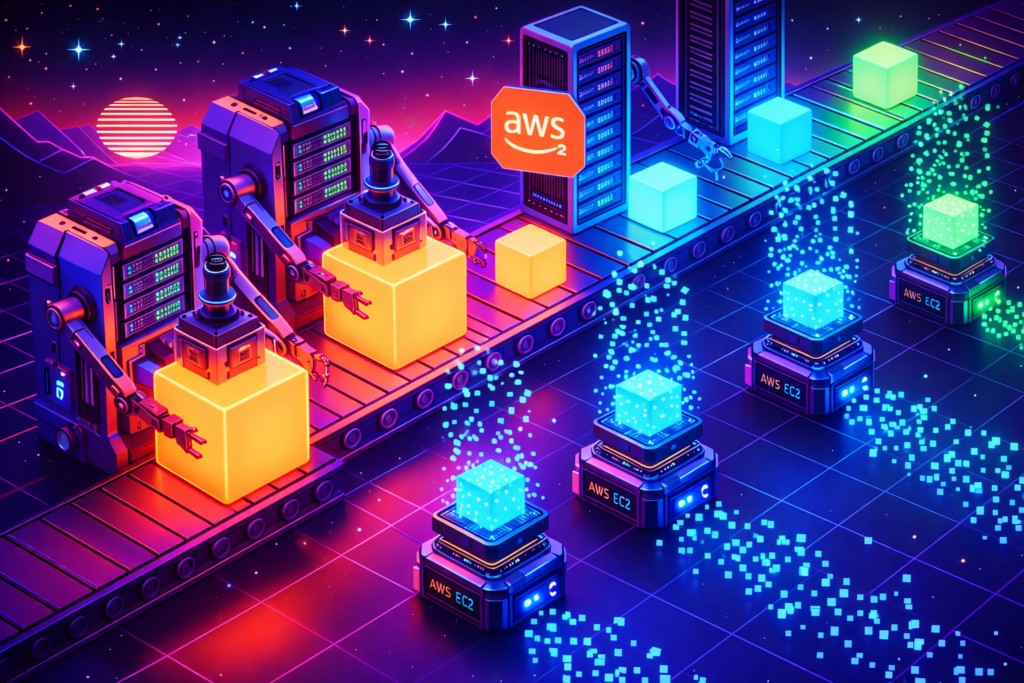
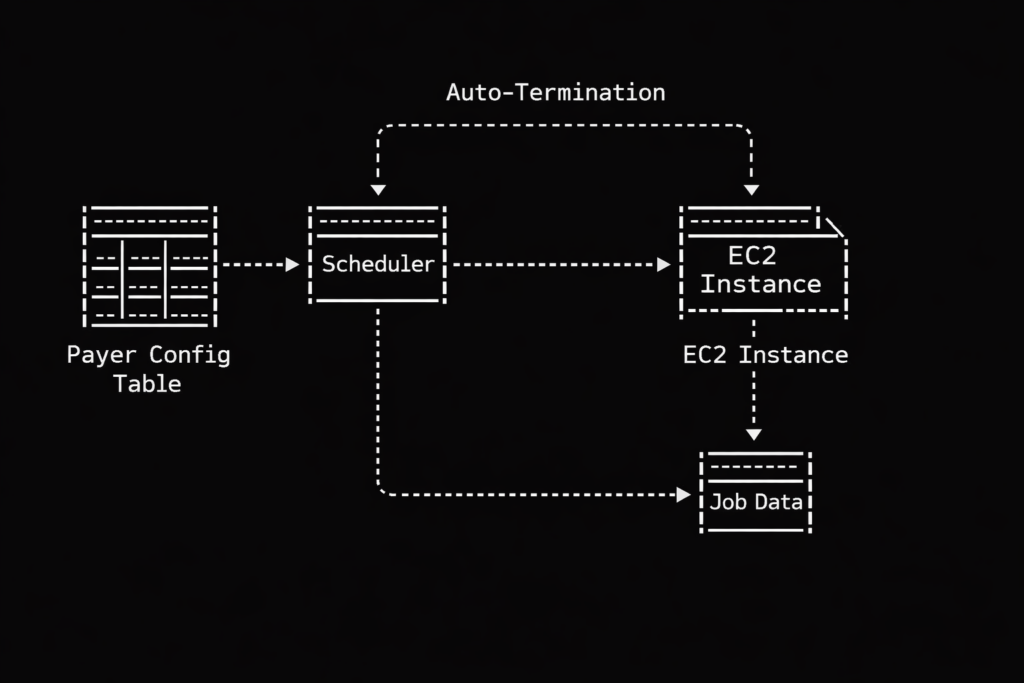
This is why we abandoned the generic approach and built our own dynamic EC2 provisioning system. Instead of maintaining a herd of generic servers waiting around for something to do, we create bespoke servers on demand based on a central configuration table.
The ruthless nightclub bouncer of job scheduling
Let us look at how this actually works regarding prioritization. Our system relies on that central configuration table to dictate order. Think of this table as the guest list at an obnoxiously exclusive nightclub. Our scheduler acts as the ruthless bouncer.
When jobs arrive at the queue, the bouncer checks the list. Member data? Right this way to the VIP lounge, sir. Claims data? Stand on the curb behind the velvet rope until the members are comfortably seated. Generic auto scaling has no native concept of this social hierarchy. It just sees a mob outside the club and opens the front doors wide. Our dynamic approach gives us perfect, tyrannical control over who gets processed first, ensuring our pipelines execute in a beautifully deterministic way. We spin up exactly the compute we specify, exactly when we want it.
Leaving your car running in the garage
Then there is the financial absurdity of warm pools. Standard auto scaling often relies on keeping a baseline of idle instances warm and ready, just in case a payer decides to drop a massive batch of files at two in the morning.
Keeping idle servers running is the technological equivalent of leaving your car engine idling in the closed garage all night just in case you get a sudden craving for a carton of milk at dawn. It is expensive, it is wasteful, and it makes you look a bit foolish when the AWS bill arrives.
Our dynamic system operates with a baseline of zero. We experience one hundred percent burst efficiency because we only pay for the exact compute we use, precisely when we use it. Cost savings happen naturally when you refuse to pay for things that are sitting around doing nothing.
A delightfully brutal server lifecycle
The operational model we ended up with is almost comically simple compared to traditional methods. A generic scaling group requires complex scaling policies, tricky cooldown periods, and endless tweaking of CloudWatch alarms. It is like managing a highly sensitive, moody teenager.
Our dynamic EC2 model is wonderfully ruthless. We create the instance and inject it with a single, highly specific purpose via a startup script. The instance wakes up, processes the healthcare data with absolute precision, and then politely self destructs so it stops billing us. They are the mayflies of the cloud computing world. They live just long enough to do their job, and then they vanish. There are no orphaned instances wandering the cloud.
This dynamic provisioning model has fundamentally altered how we digest payer workloads. We have somehow achieved a weird but perfect holy grail of cloud architecture. We get the granular flexibility of serverless functions, the raw, unadulterated horsepower of dedicated EC2 instances, and the stingy cost efficiency of a pure event-driven design.
If your processing jobs vary wildly from payer to payer, and if you care deeply about enforcing priorities without burning money on idle metal, building a disposable compute army might be exactly what your architecture is missing. We said goodbye to our idle servers, and honestly, we do not miss them at all.
The shortcuts I use on every project now, after learning that scale mostly changes the bill, not the mistakes.
Let me tell you how this started. I used to measure my productivity by how many AWS services I could haphazardly stitch together in a single afternoon. Big mistake.
One night, I was deploying what should have been a boring, routine feature. Nothing fancy. Just basic plumbing. Six hours later, I was still babysitting the deployment, clicking through the AWS console like a caffeinated lab rat, re-running scripts, and manually patching up tiny human errors.
That is when the epiphany hit me like a rogue server rack. I was not slow because AWS is a labyrinth of complexity. I was slow because I was doing things manually that AWS already knows how to do in its sleep.
The patterns below did not come from sanitized tutorials. They were forged in the fires of shipping systems under immense pressure and desperately wanting my weekends back.
Event-driven everything and absolutely no polling
If you are polling, you are essentially paying Jeff Bezos for the privilege of wasting your own time. Polling is the digital equivalent of sitting in the backseat of a car and constantly asking, “Are we there yet?” every five seconds.
AWS is an event machine. Treat it like one. Instead of writing cron jobs that anxiously ask the database if something changed, just let AWS tap you on the shoulder when it actually happens.
Where this shines:
File uploads
Database updates
Infrastructure state changes
Cross-account automation
Example of reacting to an S3 upload instantly:
def lambda_handler(event, context):
    for record in event['Records']:
        bucket_name = record['s3']['bucket']['name']
        object_key = record['s3']['object']['key']

        # Stop asking if the file is there. AWS just handed it to you.
        trigger_completely_automated_workflow(bucket_name, object_key)
No loops. No waiting. Just action.
Pro tip: Event-driven systems fail less frequently simply because they do less work. They are the lazy geniuses of the cloud world.
Immutable deployments or nothing
SSH is not a deployment strategy. It is a desperate cry for help.
If your deployment plan involves SSH, SCP, or uttering the cursed phrase “just this one quick change in production”, you do not have a system. You have a fragile ecosystem built on hope and duct tape. I stopped “fixing” servers years ago. Now, I just murder them and replace them with fresh clones.
The pattern is brutally simple:
Build once
Deploy new
Destroy old
Example of launching a new EC2 version programmatically:
It is like doing open-heart surgery. Instead of trying to fix the heart while the patient is running a marathon, just build a new patient with a healthy heart and disintegrate the old one. When something breaks, I do not debug the server. I debug the build process. That is where the real parasites live.
Infrastructure as code for the forgettable things
Most teams only use IaC for the big, glamorous stuff. VPCs. Kubernetes clusters. Massive databases.
This is completely backwards. It is like wearing a bespoke tuxedo but forgetting your underwear. The small, forgettable resources are the ones that will inevitably bite you when you least expect it.
If it matters in production, it lives in code. No exceptions.
Let Step Functions own the flow
Early in my career, I crammed all my business logic into Lambdas. Retries, branching, timeouts, bizarre edge cases. I treated them like a digital junk drawer.
I do not do that anymore. Lambdas should be as dumb and fast as a golden retriever chasing a tennis ball.
The new rule: One Lambda equals one job. If you need a workflow, use Step Functions. They are the micromanaging middle managers your architecture desperately needs.
This separation makes debugging highly visual, makes retries explicit, and makes onboarding the new guy infinitely less painful. Your future self will thank you.
Kill cron jobs and use managed schedulers
Cron jobs are perfectly fine until they suddenly are not.
They are the ghosts of your infrastructure. They are completely invisible until they fail, and when they do fail, they die in absolute silence like a ninja with a sudden heart condition. AWS gives you managed scheduling. Just use it.
Why this is fundamentally faster:
Central visibility
Built-in retries
IAM-native permissions
Example of creating a scheduled rule:
eventbridge.put_rule(
    Name="TriggerNightlyChaos",
    ScheduleExpression="cron(0 2 * * ? *)",
    State="ENABLED",
    Description="Wakes up the system when nobody is looking"
)
Automation should be highly observable. Cron jobs are just waiting in the dark to ruin your Tuesday.
Bake cost controls into automation
Speed without cost awareness is just a highly efficient way to bankrupt your employer. The fastest teams I have ever worked with were not just shipping fast. They were failing cheaply.
What I automate now with the ruthlessness of a debt collector:
Budget alerts
Resource TTLs
Auto-shutdowns for non-production environments
Example of tagging resources with an expiration date:
Leaving resources without an owner or an expiration date is like leaving the stove on, except this stove bills you by the millisecond. Anything without a TTL is just technical debt waiting to invoice you.
A quote I live by: “Automation does not cut costs by magic. It cuts costs by quietly preventing the expensive little mistakes humans call normal.”
The death of the cloud hero
These patterns did not make me faster because they are particularly clever. They made me faster because they completely eliminated the need to make decisions.
Less clicking. Less remembering. Absolutely zero heroics.
If you want to move ten times faster on AWS, stop asking what to build next. Once automation is in charge, real speed usually arrives as work you no longer have to remember.
I once held the charmingly idiotic belief that net worth was directly correlated to calorie expenditure. As a younger man staring up at the financial stratosphere where the ultra-high earners floated, I assumed their lives were a relentless marathon of physiological exertion. I pictured CEOs and Senior Architects sweating through their Italian suits, solving quadratic equations while running on treadmills, their cortisol levels permanently redlining as they suffered for every single cent.
It was a comforting delusion because it implied the universe was a meritocracy based on thermodynamics. It suggested that if I just gritted my teeth hard enough and pushed until my vision blurred, the universe would eventually hand me a corner office and a watch that cost more than my first car.
Then I entered the actual workforce and realized that the universe is not fair. Worse than that, it is not even logical. The market does not care about your lactic acid buildup. In fact, there seems to be an inverse relationship between how much your back hurts at the end of the day and how many zeros are on your paycheck.
The thermodynamic lie of manual labor
Consider the holiday season retail worker. If you have ever worked in a shop during December, you know it is less of a job and more of a biological stress test designed by a sadist. You are on your feet for eight hours. You are smiling at people who are actively trying to return a toaster they clearly dropped in a bathtub. You are lifting boxes, dodging frantic shoppers, and absorbing the collective anxiety of a population that forgot to buy gifts until Christmas Eve.
It is physically draining, emotionally taxing, and mentally numbing. By any objective measure of human suffering, it is “hard work.”
And yet the compensation for this marathon of patience is often a number that barely covers the cost of the therapeutic insoles you need to survive the shift. If hard work were the currency of wealth, the person stacking shelves at 2 AM would be buying the yacht. Instead, they are usually the ones waiting for the night bus while the mall owner sleeps soundly in a bed that probably costs more than the worker’s annual rent.
This is the brutal reality of the labor market. We are not paid for the calories we burn. We are not paid for the “effort” in the strict physics sense of work equals force times distance. We are paid based on a much colder, less human metric. We are paid based on how annoying it would be to find someone else to do it.
The lucrative business of sitting very still
Let us look at my current reality as a DevOps engineer and Cloud Architect. My daily caloric burn is roughly equivalent to a hibernating sloth. While a construction worker is dissolving their kneecaps on concrete, I am sitting in an ergonomic chair designed by NASA, getting irrationally upset because my coffee is slightly below optimal temperature.
To an outside observer, my job looks like a scam. I type a few lines of YAML. I stare at a progress bar. I frown at a dashboard. Occasionally, I sigh dramatically to signal to my colleagues that I am doing something very complex with Kubernetes.
And yet the market values this sedentary behavior at a premium. Why?
It is certainly not because typing is difficult. Most people can type. It is not because I am working “harder” than the retail employee. I am definitely not. The reason is fear. Specifically, the fear of what happens when the progress bar turns red.
We are not paid for the typing. We are paid because we are the only ones willing to perform open-heart surgery on a zombie platform while the CEO watches. The ability to stare into the abyss of a crashing production database without vomiting is a rare and expensive evolutionary trait.
Companies do not pay us for the hours when everything is working. They pay us a retainer fee for the fifteen minutes a year when the entire digital infrastructure threatens to evaporate. We are basically insurance policies that drink too much caffeine.
The panic tax
This brings us to the core of the salary misunderstanding. Most technical professionals think they are paid to build things. This is only partially true. We are largely paid to absorb panic.
When a server farm goes dark, the average business manager experiences a visceral fight-or-flight response. They see revenue dropping to zero. They see lawsuits. They see their bonus fluttering away like a moth. The person who can walk into that room, look at the chaos, and say “I know which wire to wiggle” is not charging for the wire-wiggling. They are charging a “Panic Tax.”
The harder the problem is to understand, and the fewer people there are who can stomach the risk of solving it, the higher the tax you can levy.
If your job can be explained to a five-year-old in a single sentence, you are likely underpaid. If your job involves acronyms that sound like a robotic sneeze and requires you to understand why a specific version of a library hates a specific version of an operating system, you are in the money.
You are being paid for the obscurity of your suffering, not the intensity of it.
The golden retriever replacement theory
To understand your true value, you have to look at yourself with the cold, unfeeling eyes of a hiring manager. You have to ask yourself how easy it would be to replace you.
If you are a generalist who works very hard, follows all the rules, and does exactly what is asked, you are a wonderful employee. You are also doomed. To the algorithm of capitalism, a generalist worker is essentially a standard spare part. If you vanish, the organization simply scoops another warm body from the LinkedIn gene pool and plugs it into the socket before the seat gets cold.
However, consider the engineer who manages the legacy authentication system. You know the one. The system was written ten years ago by a guy named Dave who didn’t believe in documentation and is now living in a yurt in Montana. The code is a terrifying plate of spaghetti that somehow processes payments.
The engineer who knows how to keep Dave’s ghost alive is not working “hard.” They might spend four hours a day reading Reddit. But if they leave, the company stops making money. That engineer is difficult to replace.
This is the goal. You do not want to be the shiny new cog that fits perfectly in the machine. You want to be the weird, knobby, custom-forged piece of metal that holds the entire transmission together. You want to be the structural integrity of the department.
This does not mean you should hoard knowledge or refuse to document your work. That makes you a villain, not an asset. It means you should tackle the problems that are so messy, so risky, and so complex that other people are afraid to touch them.
The art of being a delightful bottleneck
There is a nuance here that is often missed. Being difficult to replace does not mean being difficult to work with. There is a specific type of IT professional who tries to create job security by being the “Guru on the Mountain.” They are grumpy, they refuse to explain anything, and they treat every question as a personal insult.
Do not be that person. Companies will tolerate that person for a while, but they will actively plot to replace them. It is a resentment-based retention strategy.
The profitable approach is to be the “Delightful Bottleneck.” You are the only one who can solve the problem, but you are also happy to help. You become the wizard who saves the day, not the troll under the bridge who demands a toll.
When you position yourself as the only person who can navigate the complexity of the cloud architecture, and you do it with a smile, you create a dependency that feels like a partnership. Management stops looking for your replacement and starts looking for ways to keep you happy. That is when the salary negotiations stop being a battle and start being a formality.
Navigating the scarcity market
If you want to increase your salary, stop trying to increase your effort. You cannot physically work harder than a script. You cannot out-process a serverless function. You will lose that battle every time because biology is inefficient.
Instead, focus on lowering your replaceability.
Niche down until it hurts. Find a corner of the cloud ecosystem that makes other developers wince. Learn the tools that are high in demand but low in experts because the documentation is written in riddles. It is not about working harder. It is about positioning yourself in the market where the supply line is thin and the desperation is high.
Look for the “unsexy” problems. Everyone wants to work on the new AI features. It is shiny. It is fun. It is great for dinner party conversation. But because everyone wants to do it, the supply of labor is high.
Fewer people want to work on compliance automation, security governance, or mainframe migration. These tasks are the digital equivalent of plumbing. They are not glamorous. They involve dealing with sludge. But when the toilet backs up, the plumber can charge whatever they want because nobody else wants to touch it.
Final thoughts on leverage
We often confuse motion with progress. We confuse exhaustion with value. We have been trained since school to believe that the student who studies the longest gets the best grade.
The market does not care about your exhaustion. It cares about your leverage.
Leverage comes from specific knowledge. It comes from owning a problem set that scares other people. It comes from being the person who can walk into a room where everyone is panicking and lower the collective blood pressure by simply existing.
Do not grind yourself into dust trying to be the hardest worker in the room. Be the most difficult one to replace. It pays better, and your lower back will thank you for it.
I was staring at our AWS bill at two in the morning, nursing my third cup of coffee, when I realized something that should have been obvious months earlier. We were paying more to distribute our traffic than to process it. Our Application Load Balancer, that innocent-looking service that simply forwards packets from point A to point B, was consuming $3,900 every month. That is $46,800 a year. For a traffic cop. A very expensive traffic cop that could not even handle our peak loads without breaking into a sweat.
The particularly galling part was that we had accepted this as normal. Everyone uses AWS load balancers, right? They are the standard, the default, the path of least resistance. It is like paying rent for an apartment you only use to store your shoes. Technically functional, financially absurd.
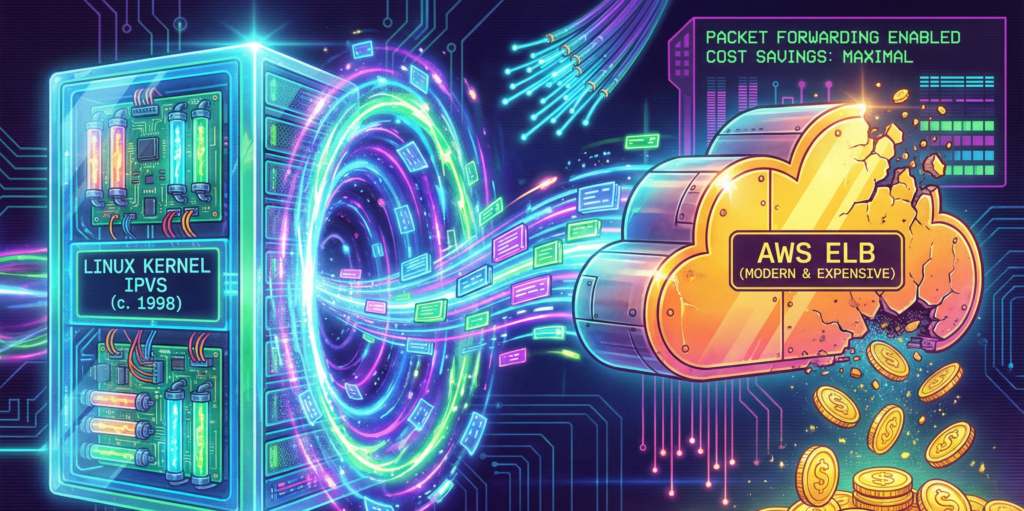
So we did what any reasonable engineering team would do at that hour. We started googling. And that is how we discovered IPVS, a technology so old that half our engineering team had not been born when it was first released. IPVS stands for IP Virtual Server, which sounds like something from a 1990s hacker movie, and honestly, that is not far off. It was written in 1998 by a fellow named Wensong Zhang, who presumably had no idea that twenty-eight years later, a group of bleary-eyed engineers would be using his code to save more than forty-six thousand dollars a year.
The expensive traffic cop
To understand why we were so eager to jettison our load balancer, you need to understand how AWS pricing works. Or rather, how it accumulates like barnacles on the hull of a ship, slowly dragging you down until you wonder why you are moving so slowly.
An Application Load Balancer costs $0.0225 per hour. That sounds reasonable, about sixteen dollars a month. But then there are LCUs, or Load Balancer Capacity Units, which charge you for every new connection, every rule evaluation, every processed byte. It is like buying a car and then discovering you have to pay extra every time you turn the steering wheel.
In practice, this meant our ALB was consuming fifteen to twenty percent of our entire infrastructure budget. Not for compute, not for storage, not for anything that actually creates value. Just for forwarding packets. It was the technological equivalent of paying a butler to hand you the remote control.
The ALB also had some architectural quirks that made us scratch our heads. It terminated TLS, which sounds helpful until you realize we were already terminating TLS at our ingress. So we were decrypting traffic, then re-encrypting it, then decrypting it again. It was like putting on a coat to go outside, then taking it off and putting on another identical coat, then finally going outside. The security theater was strong with this one.
A trip to 1999
I should confess that when we started this project, I had no idea what IPVS even stood for. I had heard it mentioned in passing by a colleague who used to work at a large Chinese tech company, where apparently everyone uses it. He described it with the kind of reverence usually reserved for vintage wine or classic cars. “It just works,” he said, which in engineering terms is the highest possible praise.
IPVS, I learned, lives inside the Linux kernel itself. Not in a container, not in a microservice, not in some cloud-managed abstraction. In the actual kernel. This means when a packet arrives at your server, the kernel looks at it, consults its internal routing table, and forwards it directly. No context switches, no user-space handoffs, no “let me ask my manager” delays. Just pure, elegant packet forwarding.
The first time I saw it in action, I felt something I had not felt in years of cloud engineering. I felt wonder. Here was code written when Bill Clinton was president, when the iPod was still three years away, when people used modems to connect to the internet. And it was outperforming a service that AWS charges thousands of dollars for. It was like discovering that your grandfather’s pocket watch keeps better time than your smartwatch.
How the magic happens
Our setup is almost embarrassingly simple. We run a DaemonSet called ipvs-router on dedicated, tiny nodes in each Availability Zone. Each pod does four things, and it does them with the kind of efficiency that makes you question everything else in your stack.
First, it claims an Elastic IP using kube-vip, a CNCF project that lets Kubernetes pods take ownership of spare EIPs. No AWS load balancer required. The pod simply announces “this IP is mine now”, and the network obliges. It feels almost rude how straightforward it is.
Second, it programs IPVS in the kernel. IPVS builds an L4 load-balancing table that forwards packets at line rate. No proxies, no user-space hops. The kernel becomes your load balancer, which is a bit like discovering your car engine can also make excellent toast. Unexpected, but delightful.
Third, it syncs with Kubernetes endpoints. A lightweight controller watches for new pods, and when one appears, IPVS adds it to the rotation in less than a hundred milliseconds. Scaling feels instantaneous because, well, it basically is.
But the real trick is the fourth thing. We use something called Direct Server Return, or DSR. Here is how it works. When a request comes in, it travels from the client to IPVS to the pod. But the response goes directly from the pod back to the client, bypassing the load balancer entirely. The load balancer never sees response traffic. That is how we get ten times the throughput. It is like having a traffic cop who only directs cars into the city but does not care how they leave.
The code that makes it work
Here is what our DaemonSet looks like. I have simplified it slightly for readability, but this is essentially what runs in our production cluster:
The key here is hostNetwork: true, which gives the pod direct access to the host’s network stack. Combined with the NET_ADMIN capability, this allows IPVS to manipulate the kernel’s routing tables directly. It requires a certain level of trust in your containers, but then again, so does running a load balancer in the first place.
We also use a custom controller to sync Kubernetes endpoints with IPVS. Here is the core logic:
# Simplified endpoint sync logic
def sync_endpoints(service_name, namespace):
    # Get current endpoints from Kubernetes
    endpoints = k8s_client.list_namespaced_endpoints(
        namespace=namespace,
        field_selector=f""metadata.name={service_name}""
    )

    # Extract pod IPs
    pod_ips = []
    for subset in endpoints.items[0].subsets:
        for address in subset.addresses:
            pod_ips.append(address.ip)

    # Build IPVS rules using ipvsadm
    for ip in pod_ips:
        subprocess.run([
            ""ipvsadm"", ""-a"", ""-t"",
            f""{VIP}:443"", ""-r"", f""{ip}:443"", ""-g""
        ])

    # The -g flag enables Direct Server Return (DSR)
    return len(pod_ips)
The numbers that matter
Let me tell you about the math, because the math is almost embarrassing for AWS. Our old ALB took about five milliseconds to set up a new connection. IPVS takes less than half a millisecond. That is not an improvement. That is a different category of existence. It is the difference between walking to the shops and being teleported there.
While our ALB would start getting nervous around one hundred thousand concurrent connections, IPVS just does not. It could handle millions. The only limit is how much memory your kernel has, which in our case meant we could have hosted the entire internet circa 2003 without breaking a sweat.
In terms of throughput, our ALB topped out around 2.5 gigabits per second. IPVS saturates the 25-gigabit NIC on our c7g.medium instances. That is ten times the throughput, for those keeping score at home. The load balancer stopped being the bottleneck, which was refreshing because previously it had been like trying to fill a swimming pool through a drinking straw.
But the real kicker is the cost. Here is the breakdown. We run one c7g.medium spot instance per availability zone, three zones total. Each costs about $0.017 per hour. That is $0.051 per hour for compute. We also have three Elastic IPs at $0.005 per hour each, which is $0.015 per hour. With Direct Server Return, outbound transfer costs are effectively zero because responses bypass the load balancer entirely.
The total? A mere $0.066 per hour. Divide that among three availability zones, and you’re looking at roughly $0.009 per hour per zone. That’s nine-tenths of a cent per hour. Let’s not call it optimization, let’s call it a financial exorcism. We went from shelling out $3,900 a month to a modest $48. The savings alone could probably afford a very capable engineer’s caffeine habit.
But what about L7 routing
At this point, you might be raising a valid objection. IPVS is dumb L4. It does not inspect HTTP headers, it does not route based on gRPC metadata, and it does not care about your carefully crafted REST API conventions. It just forwards packets based on IP and port. It is the postal worker of the networking world. Reliable, fast, and utterly indifferent to what is in the envelope.
This is where we layer in Envoy, because intelligence should live where it makes sense. Here is how the request flow works. A client connects to one of our Elastic IPs. IPVS forwards that connection to a random healthy pod. Inside that pod, an Envoy sidecar inspects the HTTP/2 headers or gRPC metadata and routes to the correct internal service.
The result is L4 performance at the edge and L7 intelligence at the pod. We get the speed of kernel-level packet forwarding combined with the flexibility of modern service mesh routing. It is like having a Formula 1 engine in a car that also has comfortable seats and a good sound system. Best of both worlds. Our Envoy configuration looks something like this:
I should mention that our first attempt did not go smoothly. In fact, it went so poorly that we briefly considered pretending the whole thing had never happened and going back to our expensive ALBs.
The problem was DNS. We pointed our api.ourcompany.com domain at the new Elastic IPs, and then we waited. And waited. And nothing happened. Traffic was still going to the old ALB. It turned out that our DNS provider had a TTL of one hour, which meant that even after we updated the record, most clients were still using the old IP address for, well, an hour.
But that was not the real problem. The real problem was that we had forgotten to update our health checks. Our monitoring system was still pinging the old ALB’s health endpoint, which was now returning 404s because we had deleted the target group. So our alerts were going off, our pagers were buzzing, and our on-call engineer was having what I can only describe as a difficult afternoon.
We fixed it, of course. Updated the health checks, waited for DNS to propagate, and watched as traffic slowly shifted to the new setup. But for about thirty minutes, we were flying blind, which is not a feeling I recommend to anyone who values their peace of mind.
Deploying this yourself
If you are thinking about trying this yourself, the good news is that it is surprisingly straightforward. The bad news is that you will need to know your way around Kubernetes and be comfortable with the idea of pods manipulating kernel networking tables. If that sounds terrifying, perhaps stick with your ALB. It is expensive, but it is someone else’s problem.
Here is the deployment process in a nutshell. First, deploy the DaemonSet. Then allocate some spare Elastic IPs in your subnet. There is a particular quirk in AWS networking that can ruin your afternoon: the source/destination check. By default, EC2 instances are configured to reject traffic that does not match their assigned IP address. Since our setup explicitly relies on handling traffic for IP addresses that the instance does not technically ‘own’ (our Virtual IPs), AWS treats this as suspicious activity and drops the packets. You must disable the source/destination check on any instance running these router pods. It is a simple checkbox in the console, but forgetting it is the difference between a working load balancer and a black hole. The pods will auto-claim them using kube-vip. Also, ensure your worker node IAM roles have permission to reassociate Elastic IPs, or your pods will shout into the void without anyone listening. Update your DNS to point at the new IPs, using latency-based routing if you want to be fancy. Then watch as your ALB target group drains, and delete the ALB next week after you are confident everything is working.
The whole setup takes about three hours the first time, and maybe thirty minutes if you do it again. Three hours of work for $46,000 per year in savings. That is $15,000 per hour, which is not a bad rate by anyone’s standards.
What we learned about Cloud computing
Three months after we made the switch, I found myself at an AWS conference, listening to a presentation about their newest managed load balancing service. It was impressive, all machine learning and auto-scaling and intelligent routing. It was also, I calculated quietly, about four hundred times more expensive than our little IPVS setup.
I did not say anything. Some lessons are better learned the hard way. And as I sat there, sipping my overpriced conference coffee, I could not help but smile.
AWS managed services are built for speed of adoption and lowest-common-denominator use cases. They are not built for peak efficiency, extreme performance, or cost discipline. For foundational infrastructure like load balancing, a little DIY unlocks exponential gains.
The embarrassing truth is that we should have done this years ago. We were so accustomed to reaching for managed services that we never stopped to ask whether we actually needed them. It took a 2 AM coffee-fueled bill review to make us question the assumptions we had been carrying around.
Sometimes the future of cloud computing looks a lot like 1999. And honestly, that is exactly what makes it beautiful. There is something deeply satisfying about discovering that the solution to your expensive modern problem was solved decades ago by someone working on a much simpler internet, with much simpler tools, and probably much more sleep.
Wensong Zhang, wherever you are, thank you. Your code from 1998 is still making engineers happy in 2026. That is not a bad legacy for any piece of software.
The author would like to thank his patient colleagues who did not complain (much) during the DNS propagation incident, and the kube-vip maintainers who answered his increasingly desperate questions on Slack.