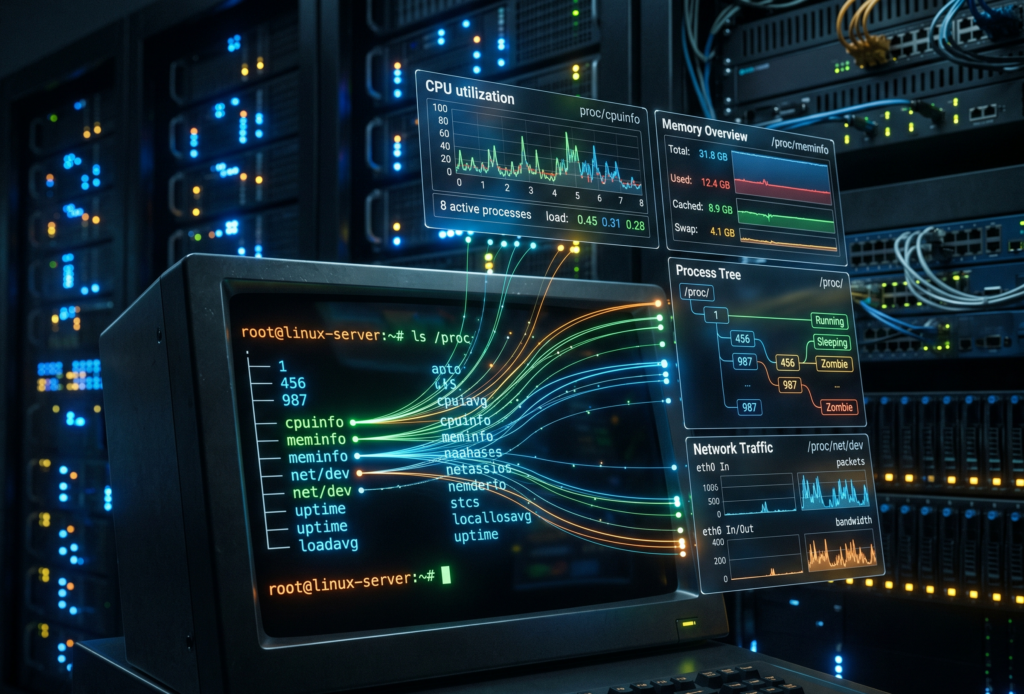
The pager goes off at 3 AM. Your most critical Kubernetes node is gasping for air. You SSH into the box, but your fancy cloud observability agents are completely frozen. You cannot run top, htop is a distant dream, and your metrics dashboard is just a spinning loading wheel of despair.
What do you do now?
Most people panic. But if you know where to look, your Linux server has a secret, real-time dashboard built right in. It requires zero agents, consumes zero disk space, and is literally generating its data on the fly just for you.
Welcome to the weird, wonderful, and slightly chaotic world of the proc pseudo-filesystem.
The hallucinated filesystem
If you run ls /proc, you will see what looks like a messy drawer full of text files and numbered directories. It is easy to dismiss it as legacy kernel clutter. But here is the bizarre truth about this directory. It does not exist.
Not on your SSD, anyway. The proc filesystem is a pure hallucination managed by the kernel. It exists entirely in RAM. The files inside it have a size of zero bytes right up until the exact microsecond you try to read them. When you run cat /proc/uptime, the kernel intercepts your request, hastily scribbles down the current system state, and hands it back to you.
It is the “everything is a file” Unix philosophy taken to its absolute, absurd logical conclusion. And once you understand how to read it, it becomes an indispensable tool for Cloud Architecture and DevOps engineers.
Gold nuggets for your daily rotation
You do not need to memorize every file in here. Treat it like a hardware store. You only need to know where the hammers and screwdrivers are kept.
The memory health check
Checking /proc/meminfo gives you your memory health at a glance, long before you even try to execute free -h. It is the raw, unfiltered truth about your RAM.
The CPU heartbeat
You can check /proc/loadavg and /proc/stat to understand CPU load and scheduler activity. Load average is like looking at the queue outside a nightclub. It tells you how many processes are waiting to get onto the CPU dance floor.
The network socket inventory
When you are trapped inside a stripped-down Docker container that lacks ss or netstat, /proc/net/tcp and /proc/net/udp are your best friends. They list every active socket connection.
The runtime clock
A quick look at /proc/uptime gives you the system runtime and idle time in a single line. It is incredibly easy to parse for quick uptime checks in your automation scripts.
Peeking inside running applications
If the root of this filesystem is the global state of the machine, the numbered directories are the personal diaries of every running application. Each number corresponds to a Process ID.
Finding the exact command
Sometimes, ps truncates output or is not installed. You can read /proc/<pid>/cmdline to see the exact, literal command that launched the process, null bytes and all.
Reading the environment
Checking /proc/<pid>/environ reveals the environment variables the process started with. It is an absolute goldmine for debugging and a terrifying danger zone for security. Environment variables are like a bouncer who will not let the application start unless its name is on the list, and the application brought the list itself.
Chasing file descriptors
If you ever hit a “too many open files” error, look inside /proc/<pid>/fd/. This directory contains symlinks to every single file, socket, and pipe the application is currently holding onto.
Surviving the cloud native illusion
Containers are, fundamentally, just Linux processes lying to themselves about how much of the world they own. They think they are the only tenant in the building. When you are working with Kubernetes, this pseudo-filesystem bridges the gap between the illusion and the reality.
When eBPF tools or your sidecar agents fail, this interface is your manual override. You can check /proc/<pid>/cgroup to see exactly which control groups are clamping down on your process. If a container keeps getting killed by the Out Of Memory killer, you can watch /proc/<pid>/oom_score to see how angry the kernel is getting at that specific process. The higher the number, the more likely the kernel is going to take it out back and end its misery.
War stories from the trenches
Theoretical knowledge is great, but let us look at how this saves your skin when you are sleep deprived.
The phantom disk filler
Your alerts say the disk is at 100%. You find a massive 50GB application log and delete it. You run df -h again. The disk is still at 100%. What happened? The application is still writing to the deleted file. A file is not truly deleted until the last process closes it. Running lsof or digging through /proc/<pid>/fd will show you the deleted file still held open by the stubborn process. Restart the process, and your 50GB magically returns.
The frozen startup
An application hangs immediately on startup. It is not using CPU, and it is not crashing. What is it waiting for? Inspecting /proc/<pid>/wchan will literally tell you the exact kernel function where the process went to sleep.
The dark side of the dashboard
It is not all sunshine and perfectly formatted data. There are traps here.
First, formatting varies between kernel versions. Writing a strict regular expression to parse these files in a production bash script is a recipe for tears. Always use defensive coding.
Second, the /proc/sys/ directory is not just for looking. It is for touching. This is where kernel tunables live, the underlying mechanism for sysctl. Writing the wrong value here can permanently break your network stack or cause a kernel panic faster than you can hit Ctrl+C. Look, but do not touch unless you have read the documentation twice.
Quick reference sheet
Keep this list handy for your next terminal session.
cat /proc/cpuinfo shows your hardware details
cat /proc/version gives you the exact kernel and distro info
ls -l /proc/<pid>/fd displays live file descriptors
cat /proc/net/dev reveals network interface stats
echo 3 > /proc/sys/vm/drop_caches frees up pagecache, dentries, and inodes (and makes your database administrator incredibly nervous)
Keep a terminal open to your kernel
This interface is the universal API. It is present when your monitoring tools are broken, when your containers are stripped bare, and when the orchestrator is lying to you.
Next time you SSH into a server or run kubectl exec into a pod, take a second to explore this directory before you reflexively type htop. In the cloud, understanding this in-memory filesystem means you understand exactly what your platform sees. And that is the kind of visibility no vendor can sell you.
The internet has many glamorous job titles. Cloud architect. Platform engineer. Security specialist. Site reliability engineer, which sounds like someone hired to keep civilization from sliding gently into a ditch.
DNS has none of that glamour.
DNS is the receptionist sitting at the front desk of the internet, quietly answering the same question billions of times a day.
Where is this thing?
You type a name like “www.example.com”. Your browser nods with confidence, like a waiter who has written nothing down, and somehow a website appears. Behind that small miracle is DNS, the Domain Name System, a distributed naming system that turns human-friendly names into machine-friendly addresses.
Humans like names. Computers prefer numbers. This is one of the many reasons computers are not invited to dinner parties.
Without DNS, using the internet would feel like trying to visit every shop in town by memorizing its tax identification number. Possible, perhaps, but only for people who alphabetize their spice rack and have strong opinions about subnet masks.
DNS lets us type names instead of IP addresses. It maps domain names to the information needed to reach services, send email, verify ownership, issue certificates, and keep many small pieces of infrastructure from wandering into traffic.
It is boring in the way plumbing is boring. Nobody praises it when it works. Everybody becomes a philosopher when it breaks.
Why DNS exists
When you visit a website, your browser needs to know where that website lives. The name “google.com” is useful to you, but it is not directly useful to the machines moving packets across networks.
Those machines need IP addresses.
An IPv4 address looks like this.
142.250.184.206
An IPv6 address looks like this.
2a00:1450:4003:80f::200e
IPv6 addresses are what happens when a numbering system grows up, gets a mortgage, and decides readability is no longer its problem.
The basic job of DNS is to answer questions such as this.
What IP address should I use for www.example.com?
And then DNS replies with an answer such as this.
www.example.com -> 93.184.216.34
That is the simple version. It is true enough to be useful, but not complete enough to explain why DNS can ruin your afternoon while wearing the innocent expression of a houseplant.
The more accurate version is that DNS is a distributed, hierarchical, cached database. No single server knows everything. Instead, different parts of the DNS system know different parts of the answer, and resolvers know how to ask the right questions in the right order.
The internet’s receptionist does not keep every phone number in one drawer. That would be madness, and also suspiciously like a spreadsheet someone named Martin promised to maintain in 2017.
What happens when you type a domain name
When you type a website address into your browser, your machine does not immediately interrogate the entire internet. It starts closer to home, because even computers understand that walking across the office to ask a question is embarrassing if the answer was already on your desk.
A simplified DNS lookup usually works like this.
The browser checks whether it already knows the answer.
The operating system checks its own DNS cache.
The request may go to your router, corporate DNS, ISP resolver, or a public resolver such as Google DNS or Cloudflare DNS.
If the resolver does not already have the answer cached, it starts asking the DNS hierarchy.
It asks the root DNS servers where to find the servers for the top-level domain, such as .com.
It asks the .com servers where to find the authoritative nameservers for the domain.
It asks the authoritative nameserver for the actual record.
The IP address comes back.
Your browser connects to the server.
The website loads, assuming the rest of the internet has decided to behave.
This process often happens in milliseconds. It is quick enough to look like magic and structured enough to be bureaucracy.
That distinction matters.
Magic cannot be debugged. Bureaucracy can, provided you know which desk lost the form.
Recursive resolvers and authoritative nameservers
Two DNS roles are worth understanding early, because they explain a lot of real-world behavior.
The first is the recursive resolver.
This is the DNS server your device asks for help. It does the legwork. Your laptop says, “Where is www.example.com?” and the recursive resolver goes off to find the answer. It may already know the answer from cache, or it may need to ask other DNS servers.
The recursive resolver is the intern sent across the building with a clipboard and mild panic.
The second is the authoritative nameserver.
This is the DNS server that holds the official answer for a domain or zone. If a domain uses a particular DNS provider, such as Route 53, Cloud DNS, Cloudflare, or another provider, that provider’s authoritative nameservers are responsible for answering questions about the records configured there.
The authoritative nameserver is the person with the spreadsheet, the badge, and the unsettling confidence.
This difference matters because your laptop usually does not ask the authoritative nameserver directly. It asks a resolver. The resolver may answer from cache. That is why one person sees the new DNS record and another person, in the same meeting, sees the old one and begins quietly questioning reality.
DNS records are tiny instructions with large consequences
A DNS record is a piece of information stored in a DNS zone. It tells DNS what should happen when someone asks about a name.
A domain without DNS records is like an office building with no signs, no mailbox, no receptionist, and one confused courier holding your production traffic.
DNS records decide things like these.
Which IP address serves a website
Which hostname acts as an alias
Which servers receive email
Which systems are allowed to send email for a domain
Which certificate authorities may issue TLS certificates
Which nameservers are responsible for the domain
Which services exist under specific names
If DNS records are wrong, the result is rarely poetic. Websites stop loading. Email disappears into procedural fog. Certificates fail. Monitoring dashboards develop a sudden interest in the color red.
DNS records look small, but they carry adult responsibility.
A and AAAA records
The A record is the most basic DNS record. It maps a name to an IPv4 address.
example.com -> 192.0.2.10
This record says, with refreshing directness, “This name lives at this IPv4 address.”
The AAAA record does the same job for IPv6.
example.com -> 2001:db8:1234::10
A and AAAA records are common when you control the target IP address. For example, you may point a domain to a virtual machine, a static endpoint, or a load balancer with stable addresses.
In modern cloud environments, however, you often do not want to point directly to a single server. You may want to point to a load balancer, a CDN, or a managed service whose underlying IPs can change. That is where aliases and provider-specific features become important.
DNS is simple until cloud infrastructure arrives wearing three badges and carrying a YAML file.
CNAME records
A CNAME record creates an alias from one DNS name to another DNS name.
blog.example.com -> example-blog.provider.com
This does not work like an HTTP redirect. That distinction is important.
A browser redirect says, “Go to a different URL.”
A CNAME says, “This DNS name is really another DNS name. Ask about that one instead.”
It is not a forwarding service. It is an alias.
CNAME records are especially useful for subdomains. For example, you may point docs.example.com to a documentation platform, or shop.example.com to an e-commerce provider.
One important rule is that a CNAME normally cannot coexist with other records at the same name. If blog.example.com is a CNAME, it should not also have MX or TXT records at that exact same name. DNS dislikes identity crises.
Also, the root domain, often called the zone apex, such as example.com, usually cannot be a standard CNAME because it must have records like NS and SOA. Many DNS providers solve this with records called ALIAS or ANAME, or with provider-specific alias features.
For example, AWS Route 53 has Alias records, which are not a normal DNS record type but are extremely useful when pointing a root domain to an AWS load balancer, CloudFront distribution, or another AWS target.
The practical lesson is simple. Use CNAMEs for aliases when allowed. Use your DNS provider’s supported alias mechanism when dealing with root domains and cloud-managed targets.
This is DNS saying, “There are rules, but we have invented paperwork to survive them.”
MX records
MX records tell the world where email for a domain should be delivered.
example.com -> mail.example.com
In real DNS, MX records also have priorities. Lower numbers are preferred.
This means mail servers should try mail1.example.com first, and use mail2.example.com as a fallback.
MX records matter because email is not delivered to your website. It is delivered to mail servers responsible for your domain. This is why a website can work perfectly while email is broken, and everyone involved can be technically correct while still being deeply unhappy.
Email uses DNS heavily. MX records route the mail. TXT records help prove which systems are allowed to send it. PTR records may help receiving systems trust the sending server. Email security is basically DNS wearing a trench coat full of paperwork.
TXT records
TXT records store text. That sounds harmless, like a sticky note, until you realize that half the modern internet uses sticky notes to prove ownership, configure email security, and convince platforms that you are not a spam goblin.
TXT records are also used for domain verification. Google, Microsoft, GitHub, certificate providers, and many SaaS platforms may ask you to create a TXT record to prove that you control a domain.
The humble TXT record is DNS with a clipboard and a suspicious number of compliance responsibilities.
NS and SOA records
NS records define which nameservers are authoritative for a domain or zone.
Without correct NS records, resolvers may not know where to ask for official answers. That is a problem, because DNS without authority is just gossip with port 53.
SOA stands for Start of Authority. Every DNS zone has an SOA record. It contains administrative information about the zone, including the primary nameserver, contact details, serial number, and timing values used by secondary nameservers.
You usually do not edit SOA records during basic DNS work, but they exist behind the scenes. They are the domain’s administrative birth certificate, stored in a filing cabinet that occasionally matters a lot.
PTR records and reverse DNS
Most DNS lookups turn names into IP addresses. A PTR record does the reverse. It maps an IP address back to a name.
192.0.2.10 -> server.example.com
This is called reverse DNS.
Reverse DNS is often used in email systems, logging, security investigations, and operational troubleshooting. If a mail server sends email from an IP address, receiving systems may check whether reverse DNS makes sense. If it does not, the email may look suspicious.
PTR records are usually managed by whoever controls the IP address range, often a cloud provider, hosting provider, or network team. This is why you may control example.com but still need to configure reverse DNS somewhere else.
DNS enjoys reminding us that ownership is a layered concept, like lasagna or enterprise access management.
SRV and CAA records
SRV records describe where specific services are available. They are often used by systems such as VoIP, chat, directory services, or service discovery mechanisms.
An SRV record can include the service name, protocol, priority, weight, port, and target host.
_service._tcp.example.com -> target.example.com on port 443
Many people can use DNS for years without touching SRV records. Then one day a system requires them, and SRV appears like a cousin nobody mentioned during onboarding.
CAA records control which certificate authorities are allowed to issue TLS certificates for your domain.
example.com CAA 0 issue "letsencrypt.org"
This tells certificate authorities that Let’s Encrypt is allowed to issue certificates for the domain. Other certificate authorities should not.
CAA is a useful security control. It is not a magic shield, but it reduces the risk of unauthorized certificate issuance. Think of it as a small velvet rope in front of your TLS certificates. Not glamorous, but better than letting the entire street into the building.
TTL and the myth of DNS propagation
TTL means Time To Live. It tells DNS resolvers how long they may cache a DNS answer.
If a record has a TTL of 3600 seconds, a resolver can cache that answer for one hour.
This is where many DNS misunderstandings are born, raised, and eventually promoted into incident reports.
People often say, “DNS propagation takes time.” The phrase is common, but it can be misleading. DNS changes are not usually pushed across the internet like flyers under apartment doors. Most of the time, you are waiting for cached answers to expire.
If a resolver cached the old IP address five minutes before you changed the record, and the TTL was one hour, that resolver may continue returning the old answer until the cache expires.
A low TTL can make changes appear faster, but it can also increase DNS query volume. A high TTL reduces query volume, but it makes mistakes more persistent.
This is the technical equivalent of writing something in permanent marker because it felt efficient at the time.
Before planned DNS changes, teams often lower TTL values in advance. For example, if a record currently has a TTL of 86400 seconds, which is 24 hours, you might reduce it to 300 seconds a day before migration. Then, when you switch the record, cached answers expire much faster.
After the migration is stable, you may increase the TTL again.
This is not exciting work. It is careful work. DNS rewards careful people by giving them fewer reasons to age visibly during production changes.
Common ways DNS breaks things
DNS failures are rarely introduced with dramatic music. They usually arrive disguised as simple user complaints.
“The website is down.”
“Email is not arriving.”
“It works from my machine.”
“The old environment is still receiving traffic.”
These are not always DNS problems, but DNS should be part of the investigation.
Common issues include these.
An A record points to the wrong IP address.
A CNAME points to the wrong target.
A record was changed, but resolvers still have the old answer cached.
Nameservers at the registrar do not match the DNS provider where records were edited.
MX records are missing or misconfigured.
TXT records for SPF, DKIM, or DMARC are incomplete.
A certificate authority cannot issue a certificate because CAA records block it.
Internal and external DNS return different answers, and nobody documented the difference because optimism is cheaper than documentation.
A particularly common mistake is editing DNS records in the wrong place. The domain may be registered with one company, but the authoritative DNS may be hosted somewhere else. Changing records at the registrar will do nothing if the authoritative nameservers point to another DNS provider.
This is how people end up pressing Save repeatedly in a web console while DNS stares politely from another building.
DNS in cloud and DevOps
For cloud, DevOps, and platform engineering work, DNS is not optional background noise. It is where architecture becomes reachable.
A Kubernetes Ingress may expose an application through a cloud load balancer. DNS must point the application hostname to that load balancer.
A CDN such as CloudFront or Cloud CDN may sit in front of an application. DNS must point users toward the CDN, not directly to the origin.
A managed database, API gateway, object storage website, or SaaS platform may require CNAMEs, TXT verification records, private endpoints, or provider-specific aliases.
In AWS, Route 53 Alias records are commonly used to point domains to AWS resources such as Application Load Balancers or CloudFront distributions.
In GCP, Cloud DNS can host public or private zones, and DNS can be part of the design for internal services, private connectivity, and hybrid architectures.
In Kubernetes, internal DNS also matters. Services get names inside the cluster. Pods can call other services using names such as this.
my-service.my-namespace.svc.cluster.local
That internal DNS is different from public DNS, but the idea is related. Names hide moving parts. Services can change IP addresses. Pods can die and be replaced. DNS gives workloads a stable name to use while the infrastructure performs its little disappearing act.
Cloud architecture is full of things that move, scale, fail, restart, and get replaced. DNS is one of the systems that lets users pretend this is all very stable.
Bless DNS for its emotional labor.
Useful DNS troubleshooting commands
You do not need many tools to begin troubleshooting DNS. A few commands can reveal a lot.
Use dig to query DNS records.
dig example.com A
Query a specific resolver.
dig @8.8.8.8 example.com A
Check MX records.
dig example.com MX
Check TXT records.
dig example.com TXT
Trace the delegation path.
dig example.com +trace
Use nslookup if it is what you have available.
nslookup example.com
Use host for quick lookups.
host example.com
For operational troubleshooting, compare answers from different resolvers. Your corporate DNS, Google DNS, Cloudflare DNS, and the authoritative nameserver may not all return the same answer at the same time, especially after a recent change.
That does not always mean DNS is broken. Sometimes it means DNS is being DNS, which is not comforting, but it is accurate.
When the receptionist leaves the desk
DNS is one of those technologies that feels simple until you need to explain why production traffic is still going to the old load balancer, why email authentication broke after a migration, or why half the office sees the new website, and the other half appears trapped in yesterday.
At its heart, DNS turns names into answers.
But in real systems, those answers are cached, delegated, aliased, verified, prioritized, and sometimes misfiled in a place nobody checked because the meeting was already running long.
If you work with Linux, cloud, Kubernetes, DevOps, security, networking, or web platforms, DNS is not optional. It is one of the quiet foundations underneath everything else.
It does not look dramatic on architecture diagrams. It does not usually get its own epic in Jira. It does not wear a cape. It sits at the desk, answers questions, points traffic in the right direction, and receives blame with the exhausted dignity of someone who has been doing everyone else’s routing work for decades.
DNS is the internet’s most underpaid receptionist.
And when that receptionist goes missing, nobody gets into the building.
A surprising number of AI platforms begin life with a question that sounds reasonable in a standup and catastrophic in a postmortem, something along the lines of “Can we just stick a GPU behind an API?” You can. You probably shouldn’t. AI workloads are not ordinary web services wearing a thicker coat. They behave differently, fail differently, scale differently, and cost differently, and an architecture that ignores those differences will eventually let you know, usually on a Sunday.
This article is not about how to train a model. It is about building an AWS architecture that can host AI workloads safely, scale them reliably, and keep the monthly bill within shouting distance of the original estimate.
Why AI workloads change the architecture conversation
Treating an AI workload as “the same thing, but with bigger instances” is a classic and very expensive mistake. Inference latency matters in milliseconds. Accelerator choice (GPU, Trainium, Inferentia) affects both performance and invoice. Traffic spikes are unpredictable because humans, not schedulers, trigger them. Model lifecycle and data lineage become first-class design concerns. Governance stops being a compliance checkbox and becomes the seatbelt that keeps sensitive information from ending up inside a prompt log.
Put differently, AI adds several new axes of failure to the usual cloud architecture, and pretending otherwise is how teams rediscover the limits of their CloudWatch alerting at 3 am.
Start with the use case, not the model
Before anyone opens the Bedrock console, the first design decision should be the business problem. A chatbot for internal knowledge, a document summarization pipeline, a fraud detection scorer, and an image generation service have almost nothing in common architecturally, even if they all happen to involve transformer models.
From the use case, derive the architectural drivers (latency budget, throughput, data sensitivity, availability target, model accuracy requirements, cost ceiling). These drivers decide almost everything else. The opposite workflow, picking the infrastructure first and then seeing what it can do, is how you end up with a beautifully optimized cluster solving a problem nobody asked about.
Choosing your AI path on AWS
AWS offers several paths, and they are not interchangeable. A rough guide.
Amazon Bedrock is the right choice when you want managed foundation models, guardrails, agents, and knowledge bases without running the model infrastructure yourself. Good for teams that want to ship features, not operate GPUs.
Amazon SageMaker AI is the right choice when you need more control over training, deployment, pipelines, and MLOps. Good for teams with ML engineers who enjoy that sort of thing. Yes, they exist.
AWS accelerator-based infrastructure (Trainium, Inferentia2, SageMaker HyperPod) is the right choice when cost efficiency or raw performance at scale becomes the dominant constraint, typically for custom training or large-scale inference.
The common mistake here is picking the most powerful option by default. Bedrock with a sensible model is usually cheaper to operate than a custom SageMaker endpoint you forgot to scale down over Christmas.
The data foundation comes first
AI systems are a thin layer of cleverness on top of data. If the data layer is broken, the AI will be confidently wrong, which is worse than being uselessly wrong because people tend to believe it.
Answer the unglamorous questions first. Where does the data live? Who owns it? How fresh does it need to be? Who can see which parts of it? For generative AI workloads that use retrieval, add more questions. How are documents chunked? What embedding model is used? Which vector store? What metadata accompanies each chunk? How is the index refreshed when the source changes?
A poor data foundation produces a poor AI experience, even when the underlying model is state of the art. Think of the model as a very articulate intern; it will faithfully report whatever you put in front of it, including the typo in the policy document from 2019.
Designing compute for reality, not for demos
Training and inference are not the same workload and should rarely share the same architecture. Training is bursty, expensive, and tolerant of scheduling. Inference is steady, latency-sensitive, and intolerant of downtime. A single “AI cluster” that tries to do both tends to be bad at each.
For inference, focus on right-sizing, dynamic scaling, and high availability across AZs. For training, focus on ephemeral capacity, checkpointing, and data pipeline throughput. For serving large models, consider whether Bedrock’s managed endpoints remove enough operational burden to justify their pricing compared to self-hosted inference on EC2 or EKS with Inferentia2.
And please, autoscale. A fixed-size fleet of GPU instances running at 3% utilization is a monument to optimism.
Treating inference as a production workload
Many AI articles spend chapters on models and a paragraph on serving them, which is roughly the opposite of how the effort is distributed in real projects. Inference is where the workload meets reality, and reality brings concurrency, timeouts, thundering herds, and users who click the retry button like they are trying to start a stubborn lawnmower.
Plan for all of it. Set timeouts. Configure throttling and quotas. Add rate limiting at the edge. Use exponential backoff. Put circuit breakers between your application tier and your AI tier so a slow model does not take the whole product down. AWS explicitly recommends rate limiting and throttling as part of protecting generative AI systems from overload, and they recommend it because they have seen what happens without it.
Protecting inference is not mainly about safety. It is about surviving the traffic spike after your launch gets a mention somewhere popular.
Separating application, AI, and data responsibilities
A quietly important architectural point is that the AI tier should not share an account, an IAM boundary, or a blast radius with the application that calls it. AWS security guidance increasingly points toward separating the application account from the generative AI account. The reasoning is simple: the consequences of a mistake in prompt construction, data retrieval, or model output are different from the consequences of a mistake in, say, a shopping cart service, and they deserve different controls.
Think of it as the organizational version of not keeping your passport in the same drawer as your house keys. If one goes missing, the other is still where it should be.
Security and guardrails from day one
AI-specific controls sit on top of the usual cloud security hygiene (IAM least privilege, encryption at rest and in transit, VPC endpoints, logging, data classification). On top of that, you need approved model catalogues so teams cannot quietly wire up any foundation model they saw on Hacker News, prompt governance with templates and input validation and logging policies that do not accidentally store sensitive data forever, output filtering for harmful content and PII leakage and jailbreak attempts, and clear data classification policies that decide which data is allowed to reach which model.
For Bedrock-based systems, Amazon Bedrock Guardrails offer configurable safeguards for harmful content and sensitive information. They are not magic, but they save a surprising amount of custom work, and custom work in this area tends to age badly.
Governance is not bureaucracy. Governance is what lets your AI feature get through a security review without being rewritten twice.
Protecting the retrieval layer when you use RAG
Retrieval-augmented generation is often described as “LLM plus documents”, which is technically true and practically misleading. A production RAG system involves ingestion pipelines, embedding generation, a vector store, metadata design, and ongoing synchronization with source systems. Each of those is a place where things can quietly go wrong.
One specific point is worth emphasizing. User identity must propagate to the retrieval layer. If Alice asks a question, the knowledge base should only return chunks Alice is allowed to see. AWS guidance recommends enforcing authorization through metadata filtering so users only get results they have access to. Without this, your RAG system will happily summarize the CFO’s compensation memo for the summer intern, which is the sort of thing that gets architectures shut down by email.
Observability goes beyond CPU and memory
Traditional observability (CPU, memory, latency, error rates) is necessary but insufficient for AI workloads. For these systems, you also want to track model quality and drift over time, retrieval quality (are the right chunks being returned?), prompt behavior and common failure modes, token usage per request and per tenant and per feature, latency per model and not just per service, and user feedback signals, with thumbs-up and thumbs-down being the cheapest useful telemetry ever invented.
Amazon Bedrock provides evaluation capabilities, and SageMaker Model Monitor covers drift and model quality in production. Use them. If you run your own inference, budget time for custom metrics, because the default dashboards will tell you the endpoint is healthy right up until users stop trusting its answers.
AI operations is not a different discipline. It is mature operations thinking applied to a stack where “the service works” and “the service is useful” are two different statements.
Cost optimization belongs in the first draft
Cost should be a design constraint, not a debugging session six weeks after launch. The biggest levers, roughly in order of impact.
Model choice. Smaller models are cheaper and often good enough. Not every feature needs the largest frontier model in the catalogue.
Inference mode. Real-time endpoints, batch inference, serverless inference, and on-demand Bedrock invocations have wildly different cost profiles. Match the mode to the traffic pattern, not the other way around.
Autoscaling policy. Scale to zero where possible. Keep the minimum capacity honest.
Hardware choice. Inferentia2 and Trainium are positioned specifically for cost-effective ML deployment, and they often deliver on that positioning.
Batching. Batching inference requests can dramatically improve throughput per dollar for workloads that tolerate small latency increases.
A common failure mode is the impressive prototype with the terrifying monthly bill. Put cost targets in the design document next to the latency targets, and revisit both before go-live.
Close with an operating model, not just a diagram
An architecture diagram is the opening paragraph of the story, not the whole book. What makes an AI platform sustainable is the operating model around it (versioning, CI/CD or MLOps/LLMOps pipelines, evaluation suites, rollback strategy, incident response, and clear ownership between platform, data, security, and application teams).
AWS guidance for enterprise-ready generative AI consistently stresses repeatable patterns and standardized approaches, because that is what turns successful experiments into durable platforms rather than fragile demos held together by one engineer’s tribal knowledge.
What separates a platform from a demo
Preparing a cloud architecture for AI on AWS is not mainly about buying GPU capacity. It is about designing a platform where data, models, security, inference, observability, and cost controls work together from the start. The teams that do well with AI are not the ones with the biggest clusters; they are the ones who took the boring parts seriously before the interesting parts broke.
If your AI architecture is running quietly, scaling predictably, and costing roughly what you expected, congratulations, you have done something genuinely difficult, and nobody will notice. That is always how it goes.
Your newly spun-up frontend pod wakes up in the cluster with total amnesia. It has a job to do, but it has no idea where it is, who its neighbors are, or how to find the database it desperately needs to query. IP addresses in a Kubernetes cluster change as casually as socks in a gym locker room. Keeping track of them requires a level of bureaucratic masochism that no sane developer wants to deal with.
Someone has to manage this phonebook. That someone lives in a windowless sub-basement namespace called kube-system. It sits there, answering the same questions thousands of times a second, routing traffic, and receiving absolutely zero credit for any of it until something breaks.
That entity is CoreDNS. And this is an exploration of the thankless, absurd, and occasionally heroic life it leads inside your infrastructure.
The temperamental filing cabinet that came before
Before CoreDNS was given the keys to the kingdom in Kubernetes 1.13, the job belonged to kube-dns. It technically worked, much like a rusty fax machine transmits documents. But nobody was happy to see it. kube-dns was not a single, elegant program. It was a chaotic trench coat containing three different containers stacked on top of each other, all whispering to each other to resolve a single address.
CoreDNS replaced it because it is written in Go as a single, compiled binary. It is lighter, faster, and built around a modular plugin architecture. You can bolt on new behaviors to it, much like adding attachments to a vacuum cleaner. It is efficient, utterly devoid of joy, and built to survive the hostile environment of a modern microservices architecture.
Inside the passport control of resolv.conf
When a pod is born, the container runtime shoves a folded piece of paper into its pocket. This piece of paper is the /etc/resolv.conf file. It is the internal passport and instruction manual for how the pod should talk to the outside world.
If you were to exec into a standard web application pod and look at that slip of paper, you would see something resembling this:
At first glance, it looks harmless. The nameserver line simply tells the pod exactly where the CoreDNS operator is sitting. But the rest of this file is a recipe for a spectacular amount of wasted effort.
Look at the search directive. This is a list of default neighborhoods. In human terms, if you tell a courier to deliver a package to “Smith”, the courier does not just give up. The courier checks “Smith in the default namespace”, then “Smith in the general services area”, then “Smith in the local cluster”. It is a highly structured, incredibly repetitive guessing game. Every time your application tries to look up a short name like “inventory-api”, CoreDNS has to physically flip through these directories until it finds a match.
But the true villain of this document, the source of immense invisible suffering, is located at the very bottom.
The loud waiter and the tragedy of ndots
Let us talk about options ndots:5. This single line of configuration is responsible for more wasted network traffic than a teenager downloading 4K video over cellular data.
The ndots value tells your pod how many dots a domain name must have before it is considered an absolute, fully qualified domain name. If a domain has fewer than five dots, the pod assumes it is a local nickname and starts appending the search domains to it.
Imagine a waiter in a crowded, high-end restaurant. You ask this waiter to bring a message to a guest named “google.com”.
Because “google.com” only has one dot, the waiter refuses to believe this is the person’s full legal name. Instead of looking at the master reservation book, the waiter walks into the center of the dining room and screams at the top of his lungs, “IS THERE A GOOGLE.COM IN THE DEFAULT.SVC.CLUSTER.LOCAL NAMESPACE?”
The room goes dead silent. Nobody answers.
Undeterred, the waiter moves to the next search domain and screams, “IS THERE A GOOGLE.COM IN THE SVC.CLUSTER.LOCAL NAMESPACE?”
Again, nothing. The waiter does this a third time for cluster.local. Finally, sweating and out of breath, having annoyed every single patron in the establishment, the waiter says, “Fine. Let me check the outside world for just plain google.com.”
This happens for every single external API call your application makes. Three useless, doomed-to-fail DNS queries hit CoreDNS before your pod even attempts the correct external address. CoreDNS processes these garbage queries with the dead-eyed stare of a DMV clerk stamping “DENIED” on improperly filled forms. If you ever wonder why your cluster DNS latency is slightly terrible, the screaming waiter is usually to blame.
The Corefile and other documents of self-inflicted pain
The rules governing CoreDNS are dictated by a configuration file known as the Corefile. It is essentially the Human Resources policy manual for the DNS server. It defines which plugins are active, who is allowed to ask questions, and where to forward queries it does not understand.
A simplified corporate policy might look like this:
Most of this is standard bureaucratic routing. The Kubernetes plugin tells CoreDNS how to talk to the Kubernetes API to find out where pods actually live. The cache plugin allows CoreDNS to memorize answers for 30 seconds, so it does not have to bother the API constantly.
But the most fascinating part of this document is the loop plugin.
In complex networks, it is very easy to accidentally configure DNS servers to point at each other. Server A asks Server B, and Server B asks Server A. In a normal corporate environment, two middle managers delegating the same task back and forth will do so indefinitely, drawing salaries for years until retirement.
Software does not have a retirement plan. Left unchecked, a DNS forwarding loop will exponentially consume memory and CPU until the entire node catches fire and dies.
The loop plugin exists solely to detect this exact scenario. It sends a uniquely tagged query out into the world. If that same query comes back to it, CoreDNS realizes it is trapped in a futile, infinite cycle of middle-management delegation.
And what does it do? It refuses to participate. It halts. CoreDNS will intentionally shut itself down rather than perpetuate a stupid system. There is a profound life lesson hiding in that logic. It shows a level of self-awareness and boundary-setting that most human workers never achieve.
Headless services or giving out direct phone numbers
Most of the time, when you ask CoreDNS for a service, it gives you the IP address of a load balancer. You call the front desk, and the receptionist routes your call to an available agent. You do not know who you are talking to, and you do not care.
But some applications are needy. Databases in a cluster, like a Cassandra ring or a MongoDB replica set, cannot just talk to a random receptionist. They need to replicate data. They need to know exactly who they are talking to. They need direct home phone numbers.
This is where CoreDNS provides a feature known as a “headless service”.
When you create a service in Kubernetes, it usually looks like a standard networking request. But when you explicitly add one specific line to the YAML definition, you are effectively firing the receptionist:
apiVersion: v1
kind: Service
metadata:
  name: inventory-db
spec:
  clusterIP: None # <-- The receptionist's termination letter
  selector:
    app: database
By setting “clusterIP: None”, you are telling CoreDNS that this department has no front desk.
Now, when a pod asks for “inventory-db”, CoreDNS does not hand out a single routing IP. Instead, it dumps a raw list of the individual IP addresses of every single pod backing that service. Furthermore, it creates a custom, highly specific DNS entry for every individual pod in the StatefulSet.
It assigns them names like “pod-0.inventory-db.production.svc.cluster.local”.
Suddenly, your database node has a personal identity. It can be addressed directly. It is a minor administrative miracle, allowing complex, stateful applications to map out their own internal corporate structure without relying on the cluster’s default routing mechanics.
The unsung hero of the sub-basement
CoreDNS is rarely the subject of glowing keynotes at tech conferences. It does not have the flashy appeal of a service mesh, nor does it generate the architectural excitement of an advanced deployment strategy. It is plumbing. It is bureaucracy. It is the guy in the basement checking names off a clipboard.
But the next time you type a simple, human-readable name into an application configuration file and it flawlessly connects to a database across the cluster, think of CoreDNS. Think of the thousands of fake ndots queries it cheerfully absorbed. Think of its rigid adherence to the Corefile.
And most importantly, respect a piece of software that is smart enough to know when it is stuck in a loop, and brave enough to quit on the spot.
If your pants feel a little tight after a large Thanksgiving meal, the logical solution is to discreetly unbutton them. You do not typically hire a hitman to assassinate yourself, clone your DNA in a vat, and grow a slightly wider version of yourself just to digest dessert. Yet, for nearly a decade, this is exactly how Kubernetes handled resource management.
When an application slowly consumed all its allocated memory, the standard orchestration response was absolute, violent destruction. We did not give the application more memory. We shot it in the head, deleted its entire existence, and span up a brand new replica with a slightly larger plate. Connections dropped. Warm caches evaporated. State was lost in the digital wind.
Thankfully, the era of the Kubernetes firing squad is drawing to a close. In-place pod resizing has officially graduated to stable General Availability in Kubernetes v1.35, and it changes the fundamental physics of how we manage workloads. We can finally stop burning down the house just to buy a bigger sofa.
Let us explore how this works, why it is practically miraculous, and how to use it without accidentally angering the Linux kernel.
The historical absurdity of pod resource management
Before in-place resizing, if you wanted to change the CPU or memory allocated to a running pod, the workflow was brutally simplistic. You updated your Deployment specification with the new resource requests and limits. The Kubernetes control plane saw the discrepancy between the desired state and the current state. The control plane then instructed the Kubelet to terminate the old pod and create a new one.
Think of taking your car to the mechanic because you need thicker tires. Instead of swapping the tires, the mechanic puts your car into an industrial crusher, hands you an identical car with thicker tires, and tells you to reprogram your radio stations. Sure, the rolling update strategy ensured you had a backup car to drive while the primary one was being crushed, but the specific pod doing the heavy lifting was gone.
For stateless microservices written in Go, this was barely an inconvenience. For a massive Java Virtual Machine holding gigabytes of cached data, or a machine learning inference service handling a traffic spike, a restart was a traumatic event. It meant minutes of downtime, CPU spikes during startup, and a slew of unhappy alerts.
Enter the era of in-place resizing
The magic of Kubernetes v1.35 is that the “resources.requests” and “resources.limits” fields within a pod specification are no longer immutable. You can edit them on the fly.
Under the hood, Kubernetes is finally taking full advantage of Linux control groups (cgroups). A container is basically just a regular Linux process trapped in a highly restrictive administrative box. The kernel has always had the ability to move the walls of this box without killing the process inside. If a container needs more memory, the kernel simply adjusts the cgroup memory limit. It is like a landlord quietly sliding a partition wall outward while you are still sleeping in your bed.
Here is a sanitized example of how you might update a running pod. Notice how we are just applying a patch to an existing, actively running resource.
# We patch the running pod to increase memory limits
# No restarts, no dropped connections, just instant gratification
kubectl patch pod bloated-legacy-api-7b89f5c -p '{"spec":{"containers":[{"name":"main-app","resources":{"limits":{"memory":"4Gi"}}}]}}'
It feels almost illegal the first time you do it. The pod keeps running, the uptime counter keeps ticking, but suddenly the application has breathing room.
The bureaucratic lifecycle of asking for more RAM
Of course, you cannot just demand more resources and expect the universe to instantly comply. The physical node hosting your pod must actually have the spare CPU or memory available. To manage this negotiation, Kubernetes introduces a new field in the pod status called resize.
This field tracks the bureaucratic process of your resource request. It is very much like dealing with the Department of Motor Vehicles, but measured in milliseconds. The statuses are surprisingly descriptive.
First, there is Proposed. This means your request for more resources has been acknowledged. The paperwork is on the desk, but nobody has stamped it yet.
Second, we have “InProgress”. The Kubelet has accepted the request and is currently asking the container runtime (like containerd or CRI-O) to adjust the cgroup limits. The walls are physically moving.
Third, you might see Deferred. This is the orchestrator politely telling you that the node is currently full. Your pod is on a waitlist. As soon as another pod terminates or frees up space, your resize request will be processed. You do not get an error, but you also do not get your RAM. You just wait.
Finally, there is Infeasible. This is Kubernetes looking at you with deep, profound disappointment. You probably asked for 64 Gigabytes of memory on a tiny virtual machine that only has 8 Gigabytes total. The API server essentially stamps your form with a big red “DENIED” and moves on with its life.
Negotiating with stubborn runtimes using resize policies
Not all applications are smart enough to realize they have been gifted more resources. Node.js or Go applications will happily consume newly available CPU cycles without being told. Java applications, on the other hand, are like stubborn mules. If you start a JVM with a maximum heap size of 2 Gigabytes, giving the container 4 Gigabytes of memory will accomplish absolutely nothing. The JVM will stubbornly refuse to look at the new memory until you reboot it.
To handle these varying levels of application intelligence, Kubernetes gives us the resizePolicy array. This allows you to define exactly how the Kubelet should handle changes for each specific resource type.
In this configuration, we are telling Kubernetes a very specific set of rules. If we patch the CPU limits, the Kubelet will adjust the cgroups and leave the container alone (RestartNotRequired). The application will just run faster. However, if we patch the memory limits, the Kubelet knows it must restart the container (RestartContainer) so the application can read the new environment variables and adjust its internal memory management.
The vertical pod autoscaler is your marital therapist
Manually patching pods in the middle of the night is still a terrible way to manage infrastructure. The true power of in-place resizing is unlocked when you pair it with the Vertical Pod Autoscaler.
Historically, the VPA was a bit of a brute. It would watch your pods, realize they needed more memory, and then mercilessly murder them to apply the new sizes. It was effective, but highly destructive.
Now, the VPA features a magical mode called InPlaceOrRecreate. Think of this mode as a highly skilled couples therapist. It sits quietly in the background, observing the relationship between your application and its memory usage. When the application needs more space to grow, the VPA simply slides the walls outward without causing a scene. It only resorts to the nuclear option of recreating the pod if an in-place resize is technically impossible.
apiVersion: autoscaling.k8s.io/v1
kind: VerticalPodAutoscaler
metadata:
  name: smooth-scaling-vpa
spec:
  targetRef:
    apiVersion: apps/v1
    kind: Deployment
    name: frontend-service
  updatePolicy:
    # The magic word that prevents the firing squad
    updateMode: "InPlaceOrRecreate"
With this single setting, your stateful workloads, long-running batch jobs, and memory-hungry APIs can seamlessly adapt to traffic spikes without ever dropping a user request.
The fine print and the rottweiler problem
As with all things in distributed systems, there are rules. You cannot cheat the laws of physics. If a node is completely exhausted of resources, your in-place resize will sit in the Deferred state forever. You still need the Cluster Autoscaler to add fresh physical nodes to your cluster. In-place resizing is a tool for distributing existing wealth, not for printing new money.
Furthermore, we must talk about the danger of scaling down. Increasing memory is a joyous occasion. Reducing memory limits on a running container is like trying to take a juicy steak out of the mouth of a hungry Rottweiler.
The Linux kernel takes memory limits very seriously. If your application is currently using 3 Gigabytes of memory, and you smugly patch the pod to limit it to 2 Gigabytes, the kernel does not politely ask the application to clean up its garbage. The Out Of Memory killer wakes up, grabs an axe, and immediately slaughters your application.
Always scale down memory with extreme caution. It is almost always safer to wait for a natural deployment cycle to reduce memory requests than to try to forcefully shrink a running process.
In the end, in-place pod resizing is not just a neat party trick. It is a fundamental maturation of Kubernetes as an operating system for the cloud. We are no longer treating our workloads like disposable cattle to be slaughtered at the first sign of trouble. We are treating them like slightly demanding house pets. Just give them the bigger bowl of food and let them sleep.